
Latest Version
Latest
September 14, 2026
Bizcraft Apps
Communication
Android
11
Free
com.hnib.smslater
Report a Problem
More About Auto Text – Schedule Messages
What is Auto Text?
Auto Text is a free Android utility that lets you prepare text messages ahead of time and have them sent automatically at a later date. It also offers basic auto‑reply capabilities for SMS and WhatsApp, helping you stay responsive without keeping your phone in hand.
Main features
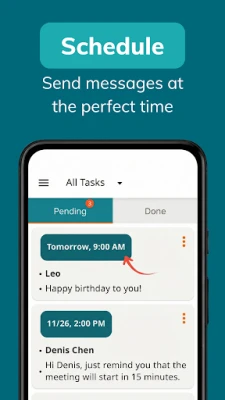
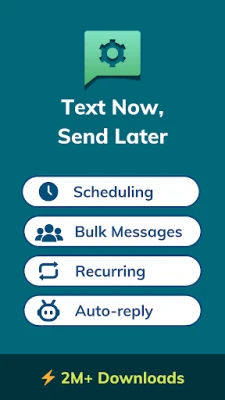
- Scheduled sending – Write a message now and choose the exact date and time for delivery.
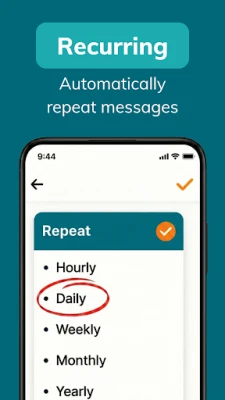
- Recurring messages – Set up daily, weekly or monthly repeats for reminders, greetings or routine notifications.
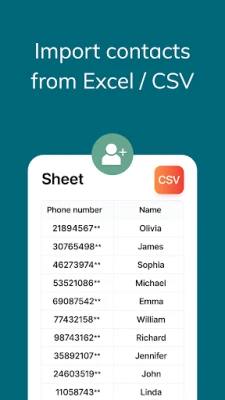
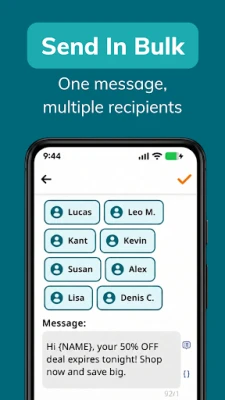
- Multiple recipients – Add more than one contact to a single scheduled item.
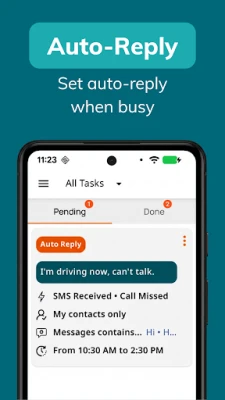
- Auto‑reply – Define a short response that is sent automatically when you receive an SMS or a WhatsApp message.
- SMS forwarding – Forward incoming SMS to another phone number without manual intervention.
How it works
After installing the app, you create a new schedule by entering the text, selecting the target (SMS or WhatsApp) and picking a date‑time stamp. The app stores the information locally and uses Android’s Accessibility Service to trigger the send action at the appointed moment. Auto‑reply rules are configured in a similar way: you specify the trigger (incoming message) and the reply text, and the service handles the response when the condition is met.
Practical uses
- Send birthday wishes or holiday greetings when you know you’ll be away.
- Remind yourself or a client about appointments without remembering to call.
- Provide a quick “I’m busy” reply during meetings or nighttime hours.
- Forward important SMS alerts to a secondary device for backup.
Who may find it useful?
Anyone who relies on timely text communication can benefit: small business owners managing client reminders, parents coordinating family events, or anyone who prefers to automate routine messages.
Things to know before installing
- The app requires Android’s Accessibility Service to perform automatic sending and replying. This permission is limited to the described functions and does not grant access to personal data beyond what is needed for messaging.
- All scheduled content remains on the device; no cloud sync is provided.
- Auto Text works with the default SMS app and with WhatsApp, but it does not integrate with other messaging platforms.
Frequently asked questions
Do I need an internet connection for scheduled SMS?
No. SMS messages are sent through your carrier’s network, so a mobile signal is sufficient. WhatsApp messages, however, require an active internet connection at the scheduled time.
Can I edit or cancel a scheduled message?
Yes. The app lists all pending schedules, allowing you to modify the text, change the time or delete the entry entirely.
Is my data shared with third parties?
The app stores messages locally and does not transmit them to external servers. The only system service it uses is the Accessibility Service for automation.
Rate the App
User Reviews











Popular Apps










 Games
Games Entertainment
 Communication
 E-mail
 Security
 Tools
Tools Media
Media Internet
 Finance
 Design
 Education
 IT Tools
 Travel & Local
 Android
 Windows
 Linux
Linux