
Latest Version
Latest
August 15, 2026
ATOMICMAIL SYSTEMS
Communication
Android
124
Free
com.atomicmail
Report a Problem
More About Atomic Mail: Private Email – Secure Messaging for Android
What is Atomic Mail?
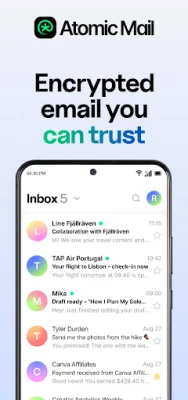
Atomic Mail is an Android email client focused on privacy. It provides a modern interface for sending and receiving encrypted messages while keeping your personal data out of the hands of advertisers and third‑party services.
Main Features
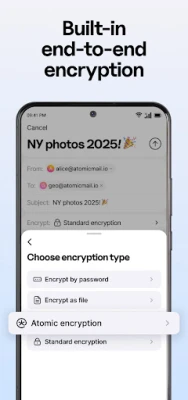
- End‑to‑end encryption – Messages and attachments are encrypted on your device before they leave, ensuring only the intended recipient can read them.
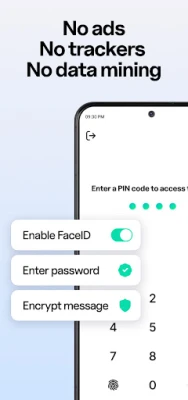
- No ads or trackers – The app does not display advertisements and does not embed tracking code.
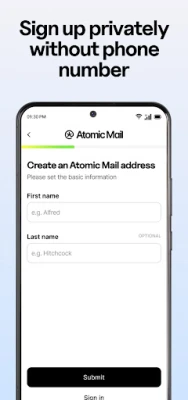
- Anonymous sign‑up – You can create an account without providing a phone number or other personal identifiers.
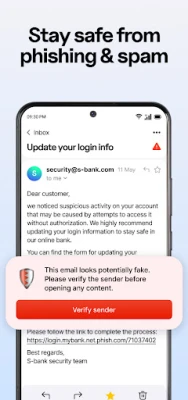
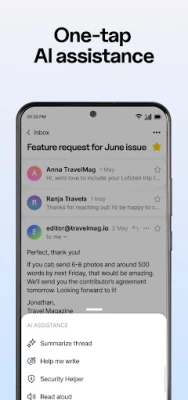
- Spam and phishing protection – Built‑in filters help keep unwanted or malicious messages out of your inbox.
- Alias support – Create additional @atomicmail.io addresses to separate personal, work, or temporary communications.
- Password‑protected messages – Add an extra password layer when sending sensitive information.
- Self‑destructing emails – Set a time limit after which a message is automatically deleted.
How It Works
When you install Atomic Mail, you create an account using an email address under the @atomicmail.io domain. The app generates cryptographic keys on your device; these keys never leave your phone. When you compose a message, the content is encrypted with the recipient’s public key. The encrypted payload travels over the internet and can only be decrypted by the matching private key on the recipient’s device.
The app stores encrypted messages in data centers located in Germany, complying with GDPR and ISO‑27001 standards. Because the service uses a zero‑access architecture, even the provider cannot read your emails.
Practical Uses
- Secure personal communication – keep family or friends’ conversations private.
- Professional correspondence – exchange confidential documents without risking corporate data leaks.
- Temporary projects – use disposable aliases and self‑destructing messages for short‑term collaborations.
Installation Information
Atomic Mail is available as a free download from the Google Play Store. Search for "Atomic Mail: Private Email" or use the package name com.atomicmail. The installation process follows the standard Android app installation flow.
Things to Know Before Installing
- The app requires an internet connection for sending and receiving messages.
- All encryption is performed locally; losing access to your device or recovery seed may make it impossible to retrieve encrypted emails.
- Because the service stores data in European data centers, users in regions with strict data‑transfer regulations should verify compliance with local laws.
Who May Find It Useful?
Anyone who values privacy in their email communication can benefit from Atomic Mail. This includes journalists, activists, business professionals handling sensitive information, and everyday users who simply prefer not to have their inbox scanned for advertising purposes.
Frequently Asked Questions
Do I need a separate email address to use Atomic Mail?
Atomic Mail provides its own @atomicmail.io address, which you can use as your primary email or as an alias alongside existing accounts.
Can I use Atomic Mail with other email services?
Yes. You can send encrypted messages to recipients on other platforms, provided they support compatible encryption standards.
Is there a limit to storage?
The service offers encrypted storage without a predefined cap, but practical limits depend on the device’s available space and the provider’s policies.
How do I recover my account if I forget my password?
Atomic Mail uses a seed‑phrase recovery method similar to cryptocurrency wallets. Safely store the seed phrase during account creation; it can be used to restore access.
Rate the App
User Reviews















Popular Apps










 Games
Games Entertainment
 Communication
 E-mail
 Security
 Tools
Tools Media
Media Internet
 Finance
 Design
 Education
 Android Firmwares
 Travel & Local
 Android
 Windows
 Linux
Linux