

Latest Version
Latest
September 09, 2026
AT&T Services, Inc.
Communication
Android
9
Free
com.att.mobile.android.vvm
Report a Problem
More About AT&T Visual Voicemail – Manage Your Voicemails on Android
What is AT&T Visual Voicemail?
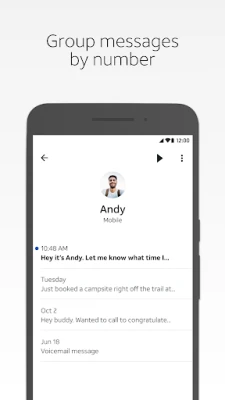
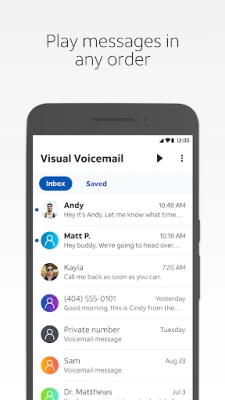
AT&T Visual Voicemail is an Android app that lets AT&T customers view and manage their voicemail messages without dialing into a traditional mailbox. The app presents each message as a separate item, allowing you to see who called, read a transcription (when available), and choose how to handle each message.
Main Features
- Selective playback – Play any voicemail in any order, rather than listening sequentially.
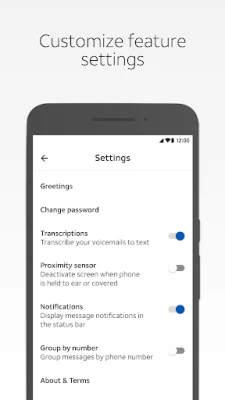
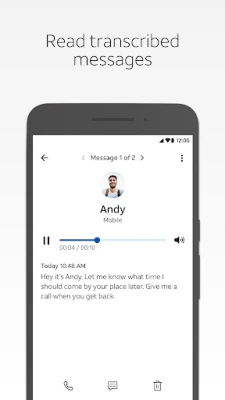
- Text transcription – When supported, the app shows a written version of the spoken message.
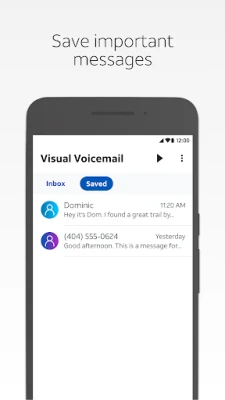
- Save and share – Store a voicemail within the app or share it via email, text, or a cloud service.
- One‑tap actions – Delete, archive, or mark messages as read directly from the list view.
How It Works
After installing the app, you sign in with your AT&T credentials. The app contacts AT&T’s voicemail server, retrieves a list of messages, and downloads the audio files as needed. Because the app works with AT&T’s Visual Voicemail service, it can display caller information and transcriptions without requiring a separate call to your mailbox.
Practical Uses
Whether you’re in a meeting, on a commute, or simply prefer not to listen to messages in order, the app lets you prioritize important voicemails, forward them to colleagues, or keep a record for later reference. The transcription feature can be especially handy when you need to quickly scan messages while driving or in a noisy environment.
Installation Information
Download the app from the Google Play Store, then grant the permissions it requests for phone state and storage access. The initial setup may involve a brief verification SMS sent to AT&T to confirm your mailbox.
Compatibility and Requirements
The app is designed for Android smartphones that are on the AT&T network and have a data plan that includes Visual Voicemail. It requires a cellular data or Wi‑Fi Calling connection; a Wi‑Fi‑only connection will not work. International roaming may incur data or messaging charges for voicemail-related actions.
Things to Know Before Installing
- Make sure your AT&T plan includes Visual Voicemail. If you’re unsure, check your account in the myAT&T app or on att.com.
- The app does not count voicemail usage against your data allowance when you are on AT&T’s network, but data may be used for downloading transcriptions or when you are roaming.
- A one‑time SMS may be sent from the app to AT&T to retrieve mailbox information during setup.
Who May Find It Useful?
AT&T Visual Voicemail is ideal for anyone who receives frequent voicemail messages and wants a more flexible way to manage them. Professionals who need to triage messages quickly, travelers who prefer text transcriptions, and users who simply dislike listening to voicemails in order will benefit from the app’s features.
Frequently Asked Questions
Do I need an internet connection?
Yes. The app requires a cellular data or Wi‑Fi Calling connection to sync messages. A Wi‑Fi‑only connection is insufficient.
Will using the app affect my data plan?
Voicemail playback on AT&T’s network does not count against your data allowance, but downloading transcriptions or using the app while roaming may use data.
Can I use the app with a non‑AT&T phone?
The app is intended for AT&T‑compatible devices. Some Android phones that are not AT&T‑branded may not be supported.
Is there a cost to use the app?
The app itself is free to download. However, your AT&T plan must include Visual Voicemail, and standard data or messaging charges may apply for certain actions.
Rate the App
User Reviews















Popular Apps










 Games
Games Entertainment
 Communication
 E-mail
 Security
 Tools
Tools Media
Media Internet
 Finance
 Design
 Education
 IT Tools
 Travel & Local
 Android
 Windows
 Linux
Linux