
Latest Version
September 03, 2026
Aster Privacy
Communication
Android
8
Free
org.astermail.android
Report a Problem
More About Aster Mail – Secure Encrypted Email for Android
What is Aster Mail?
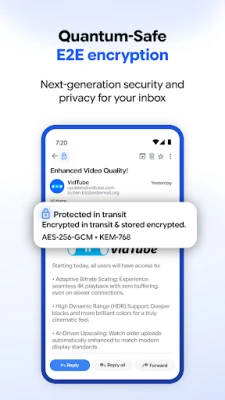
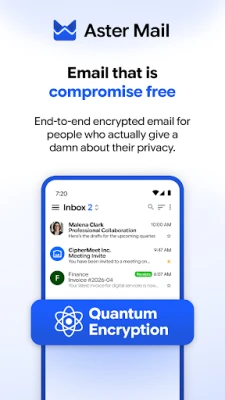
Aster Mail is a free Android email client focused on privacy. It uses strong encryption to keep the contents of your messages private, both while they travel over the internet and when they are stored on your device.
Main features
- End‑to‑end encryption – Your messages are encrypted on your device and can only be decrypted by the intended recipient.
- PGP support – Generate or import PGP keys directly within the app.
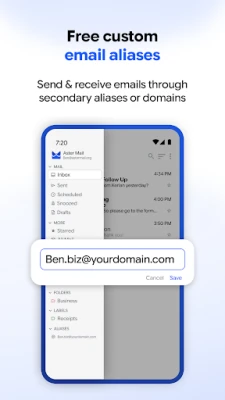
- Email aliases – Create disposable addresses to protect your real identity when signing up for services.
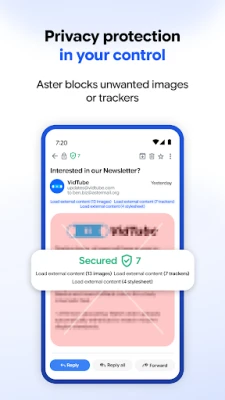
- Zero‑ads, zero‑trackers – The app does not display advertisements or collect usage data for marketing.
- Push notifications & dark mode – Stay informed of new mail and work comfortably in low‑light environments.
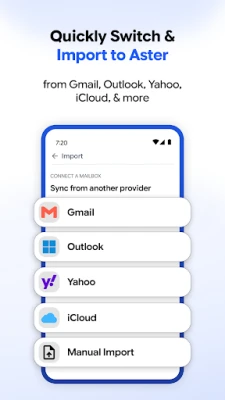
- Multiple account handling – Add existing IMAP, SMTP or POP3 accounts and manage them alongside your encrypted mailbox.
How it works
When you compose a message, Aster Mail encrypts the content using your private key and the recipient’s public key. The encrypted payload is then sent through standard email servers, so you can use any provider that supports IMAP/SMTP. Because the encryption is performed on the device, the service provider never sees the clear‑text message.
Practical uses
- Protecting personal correspondence from eavesdropping.
- Sending confidential business information without relying on corporate VPNs.
- Signing up for newsletters or online services with an alias to avoid spam.
Installation information
Search for Aster Mail: Encrypted Email in the Google Play Store, then tap Install. The app requires Android, but the specific minimum version is not listed; it will prompt you if your device is incompatible.
Things to know before installing
- The free plan includes a limited amount of storage; additional space is available through paid tiers.
- To use PGP encryption you will need to manage your own keys or import existing ones.
- Two‑factor authentication and biometric locks are available to protect access to the app.
Who may find it useful?
Anyone who values privacy in their email communication—journalists, activists, business professionals, or everyday users who simply want to keep personal messages private—will benefit from Aster Mail’s encryption‑first approach.
Frequently asked questions
Is Aster Mail completely free?
The core app and a basic storage allowance are free. Optional paid plans provide extra storage and custom domain support.
Can I use my existing email accounts?
Yes. You can add IMAP, SMTP or POP3 accounts and manage them alongside your encrypted mailbox.
How does the app protect my device?
Beyond encryption, you can lock the app with a PIN, fingerprint, face recognition or a passkey, and enable two‑factor authentication for added security.
Rate the App
User Reviews















Popular Apps










 Games
Games Entertainment
 Communication
 E-mail
 Security
 Tools
Tools Media
Media Internet
 Finance
 Design
 Education
 IT Tools
 Travel & Local
 Android
 Windows
 Linux
Linux