


Latest Version
Latest
August 12, 2026
Arattai Technology Solutions
Communication
Android
339
Free
com.aratai.chat
Report a Problem
More About Arattai Messenger – Secure Chat and Calls
What is Arattai Messenger?
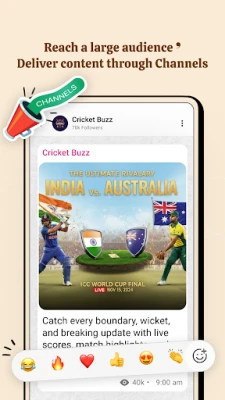
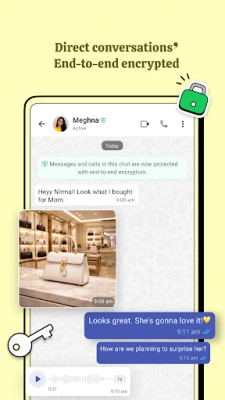
Arattai Messenger is a free Android app that focuses on private communication. It offers text messaging, voice calls, video calls and group chats while emphasizing security and a clean user experience.
Main Features
- End‑to‑end encrypted chats – messages are encrypted on the device and can only be read by the intended recipient.
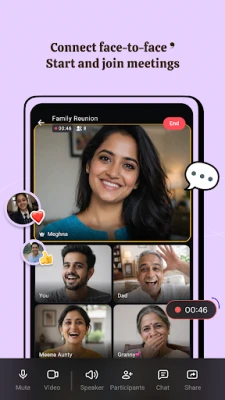
- Voice and video calling – start one‑to‑one calls or group calls without needing a separate service.
- Group conversations – create groups for family, friends or work and share text, photos, videos and files.
- Voice messages – record short audio clips for quick communication.
- File sharing – send documents, images or other files directly within a chat.
- No ads – the interface is free of advertising and does not sell user data.
How It Works
After installing the app, you register with a phone number. The app creates a secure key pair that protects each conversation. When you send a message, it is encrypted locally and transmitted to the recipient’s device, where it is decrypted. Calls use the same encrypted channel, ensuring that voice and video streams remain private.
Practical Uses
- Family coordination – keep family members in touch with private group chats and quick voice notes.
- Team collaboration – share files and hold short video meetings without exposing data to third‑party services.
- Personal privacy – communicate with friends knowing that the content is not stored for advertising purposes.
Installation Information
Search for “Arattai Messenger” in the Google Play Store, tap Install, and follow the on‑screen prompts to grant the necessary permissions for contacts, microphone and camera. The app’s size and minimum Android version are not listed, so ensure your device runs a recent Android release for the best experience.
Things to Know Before Installing
- Because the app stores encrypted data on servers located in India, a stable internet connection is required for syncing messages across devices.
- The app does not display a public version number, so you may want to check the Play Store listing for update details.
- Standard permissions for messaging apps (contacts, microphone, camera, storage) are requested to enable core functions.
Who May Find It Useful?
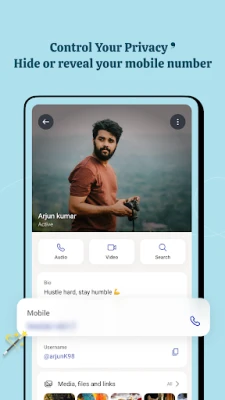
Anyone who values privacy in everyday messaging—students, small business teams, families, or users who prefer an ad‑free environment—can benefit from Arattai Messenger.
Frequently Asked Questions
Is Arattai Messenger free?
Yes, the app is offered at no cost.
Does the app sell my data?
According to the developer’s statements, the app does not sell user data and does not display ads.
Can I use Arattai on multiple devices?
Messages are synced through the developer’s servers, allowing you to log in on another Android device with the same phone number.
What types of files can I share?
Standard image, video, audio and document formats are supported.
Rate the App
User Reviews















Popular Apps










 Games
Games Entertainment
 Communication
 E-mail
 Security
 Tools
Tools Media
Media Internet
 Finance
 Design
 Education
 Android Firmwares
 Travel & Local
 Android
 Windows
 Linux
Linux