

Latest Version
Latest
September 09, 2026
Senatel Ltd
Communication
Android
9
Free
com.app.aphone
Report a Problem
More About APhone – Second Phone Number for Android
What is APhone?
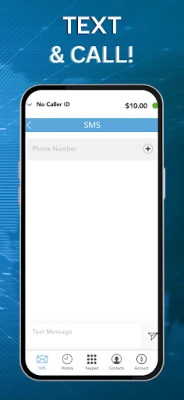
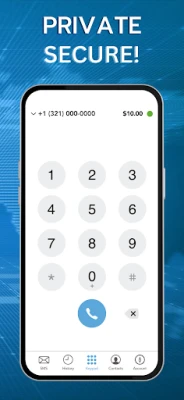
APhone is a free Android application developed by Senatel Ltd that provides a virtual second phone number on your existing device. The app creates a separate line for calls and SMS, allowing you to manage two numbers from a single handset.
Main Features
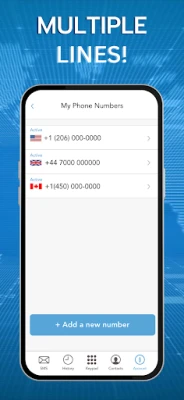
- Second line on one device – Use a distinct number for calls, texts, and voicemail without buying a new SIM.
- International options – Choose numbers from supported regions such as the United States, Canada, or the United Kingdom.
- Separate inbox – Incoming messages and calls appear in a dedicated APhone interface, keeping them distinct from your primary number.
- Voicemail support – The app includes a basic voicemail feature for the virtual number.
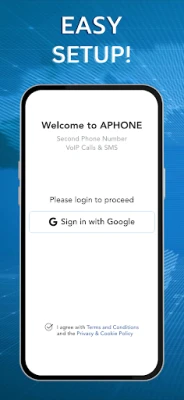
- Secure sign‑in – You can log in using your Google account, which simplifies setup and keeps your data synced.
How It Works
After installing APhone, you sign in with your Google credentials. The app then presents a list of available virtual numbers. Once you select a number, it is provisioned instantly and linked to your device. Calls and SMS sent to that number are routed through the app’s own network, and you can answer or reply directly from the APhone interface.
Practical Uses
People use APhone for a variety of everyday scenarios:
- Privacy protection – Keep your personal number private when signing up for online services, dating apps, or marketplaces.
- Business separation – Manage client communications on a dedicated line while preserving your personal contacts.
- Travel convenience – Obtain a local number in a foreign country to avoid international roaming charges.
- Family sharing – Provide a secondary number for a family member without purchasing a separate device.
Installation Information
APhone is available through the Google Play Store. Search for APhone – Second Phone Number or use the package name com.app.aphone. The download size and required Android version are not specified, so the Play Store will indicate compatibility with your device during installation.
Things to Know Before Installing
- The app is free to download, but acquiring a virtual number may involve a one‑time purchase or subscription, depending on the region and plan you choose.
- Calls and messages to the virtual number are handled through the app’s service; a data connection (mobile or Wi‑Fi) is required.
- Because the service relies on internet connectivity, call quality may vary based on network conditions.
Who May Find APhone Useful?
Anyone who wants to separate personal and professional communications, protect their primary number, or maintain a local presence while traveling can benefit from APhone. It is especially handy for freelancers, frequent travelers, and users who engage in online marketplaces or dating platforms.
Frequently Asked Questions
Do I need a separate SIM card?
No. APhone creates a virtual number that works over your existing data connection.
Can I receive calls when the app is closed?
Incoming calls are routed to the app, so you need to keep APhone running in the background to receive them.
Is my personal number visible to callers?
When you use the virtual number, the caller sees only that number. Your primary number remains hidden unless you choose to share it.
Is the app available worldwide?
APhone offers numbers from selected countries such as the US, Canada, and the UK. Availability may expand over time.
Rate the App
User Reviews














Popular Apps










 Games
Games Entertainment
 Communication
 E-mail
 Security
 Tools
Tools Media
Media Internet
 Finance
 Design
 Education
 IT Tools
 Travel & Local
 Android
 Windows
 Linux
Linux