

Latest Version
August 27, 2026
Ultra Dev Soft
Communication
Android
88
Free
com.allemail.login.emailapp
Report a Problem
More About All Email Login & Home – Unified Email Management
What is All Email Login & Home?
All Email Login & Home is a free Android utility that brings together several email accounts under a single, easy‑to‑navigate screen. The app focuses on simplicity, offering a straightforward way to read, reply to, and organize messages without juggling separate applications.
Main Features
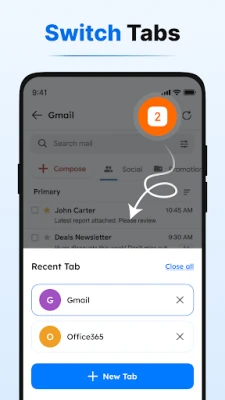
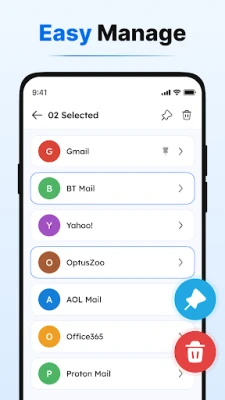
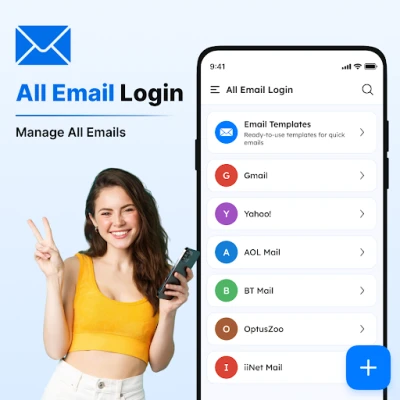
- Multiple account support – Add and switch between different email services from one place.
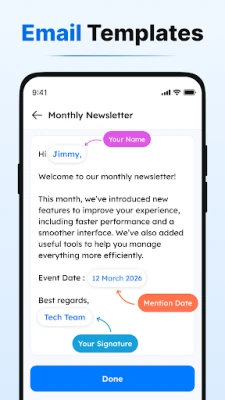
- Built‑in email templates – Choose from ready‑made templates for common messages, or create your own for personal or professional use.
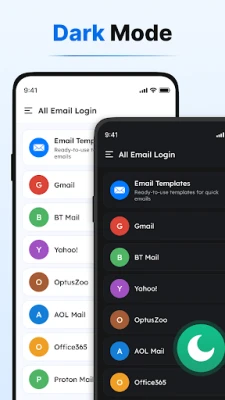
- Light and dark themes – Adjust the appearance to match your device’s theme or personal preference.
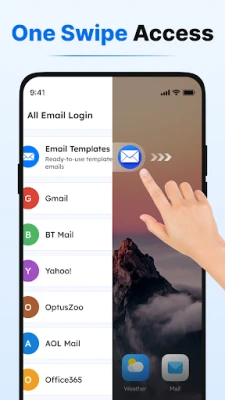
- Home screen launcher integration – Access your inbox quickly from the Android home screen with swipe gestures.
How It Works
When you launch the app, you are prompted to add an email account. The app does not store passwords; instead, it opens the official web login page of the chosen service, allowing you to sign in securely. Once authenticated, the app retrieves your inbox via standard web protocols and displays messages in a unified list.
To compose a new email, tap the compose button and select a template if desired. You can edit the template content or start from a blank message. Saved custom templates appear in a separate section for quick reuse.
Practical Uses
- Personal organization – Keep personal, work, and hobby‑related email accounts together without switching apps.
- Quick replies – Use pre‑written templates for routine replies, saving time on repetitive messages.
- Home screen efficiency – Swipe right from the launcher shortcut to jump straight to your inbox, ideal for users who need fast access.
Installation Information
The application is available as a free download from the Google Play Store. Installation follows the standard Android process: tap Install, grant any required permissions, and launch the app from your app drawer.
Things to Know Before Installing
- The app opens email services through their official web pages; it does not act as a mail server.
- No personal data is stored locally beyond what is needed for the user interface.
- Because the app relies on web access, an active internet connection is required to view and send messages.
Who May Find It Useful?
Anyone who manages more than one email address on their Android device can benefit from All Email Login & Home. It is especially handy for professionals who need to separate work and personal correspondence, as well as for users who prefer a single entry point for all their email communications.
Frequently Asked Questions
Do I need to enter my password into the app?
No. The app redirects you to the official login page of each email provider, so you enter credentials only on the provider’s site.
Can I use the app offline?
Inbox viewing and sending require an internet connection. Drafts can be prepared offline and sent once connectivity is restored.
Is there a limit to the number of accounts I can add?
The app does not impose a hard limit; you can add as many accounts as your device can handle comfortably.
How are my email templates stored?
Templates are saved locally within the app’s private storage and are not shared with external services.
Rate the App
User Reviews















Popular Apps










 Games
 Entertainment
 Communication
 E-mail
 Security
 Tools
 Media
 Internet
 Finance
 Design
 Education
 Android Firmwares
 Travel & Local
 Android
 Windows
 Linux