
Latest Version
Latest
September 07, 2026
Diaval Studios
Communication
Android
25
Free
com.allemail.mailconnectfast
Report a Problem
More About All Email Login – Unified Email Management
What is All Email Login?
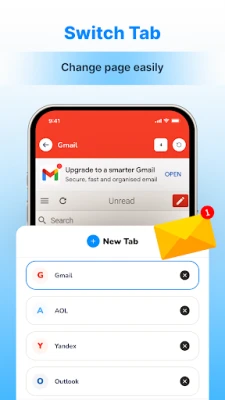
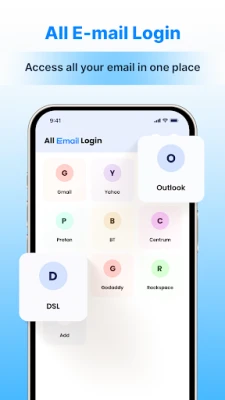
All Email Login is a free Android application from Diaval Studios that brings together all of your email accounts under one roof. Instead of installing separate apps for Gmail, Outlook, Yahoo or any other provider, you can configure each account inside this single client and access them from a unified interface.
Main Features
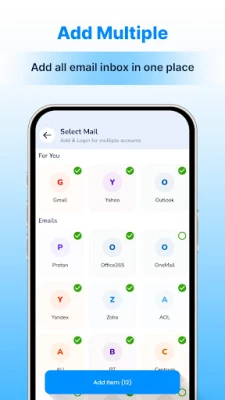
- Multiple account support – Add as many email addresses as you need, regardless of the service provider.
- Unified inbox – View messages from every account in one consolidated list, making it simple to stay on top of new mail.
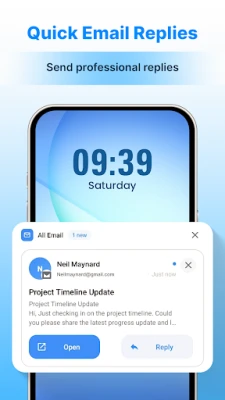
- Quick reply tools – Compose responses with a few taps, using the app’s built‑in shortcuts for common phrases.
- Space‑saving design – One lightweight app replaces several larger email clients, helping you conserve storage on your device.
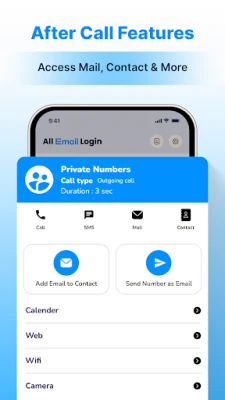
- After‑call access – Open the app directly after a phone call to check or reply to messages without leaving the call screen.
How It Works
After installing the app, you are guided through a straightforward account‑addition wizard. You enter your email address and password (or use the appropriate OAuth flow for providers that support it), and the app configures the necessary IMAP/SMTP settings automatically. Once an account is linked, its folders appear alongside those of any other accounts you have added.
The main screen presents a single inbox that aggregates unread messages from all accounts. You can filter the view by account, label, or date, and swipe to archive, delete, or mark messages as read. The compose screen includes a small set of pre‑written suggestions that you can tap to insert into your reply, speeding up routine communication.
Practical Uses
- Personal and work separation – Keep personal and professional email accounts together while still being able to filter them separately.
- Travel and limited storage – When device storage is at a premium, a single app reduces the footprint compared with multiple dedicated clients.
- Quick follow‑up after calls – The after‑call shortcut lets you respond to urgent messages without navigating through the home screen.
Installation Information
The app is available for free on the Android marketplace. Search for the package name com.allemail.mailconnectfast or the title “All Email Login” and tap Install. No additional permissions beyond those required for network access and account management are requested during installation.
Things to Know Before Installing
- All Email Login does not replace the need for an internet connection; you will need Wi‑Fi or mobile data to sync messages.
- The app stores login credentials only for the purpose of connecting to your email servers. Review the privacy policy within the app for details on data handling.
- Because the app supports a wide range of providers, some advanced features (such as push notifications for certain services) may depend on the underlying email server’s capabilities.
Who May Find It Useful?
Anyone who manages more than one email address on their Android device can benefit from All Email Login. This includes professionals juggling work and personal accounts, students who receive school‑related messages alongside social mail, and travelers who prefer a single, low‑storage solution for staying connected.
Frequently Asked Questions
Can I add both free and paid email accounts?
Yes. The app does not differentiate between free and subscription‑based email services; any account that supports standard IMAP/SMTP protocols can be added.
Is there a limit to the number of accounts I can configure?
There is no hard‑coded limit, though performance may vary depending on device resources and the number of active accounts.
How does the app handle notifications?
When a new message arrives, the app can generate a standard Android notification. Notification settings can be adjusted in the device’s system settings or within the app’s own preferences.
Is my data encrypted?
All communication with email servers uses the standard TLS/SSL encryption provided by the servers. The app does not store email content unencrypted on the device beyond what is required for offline viewing.
Rate the App
User Reviews















Popular Apps










 Games
Games Entertainment
 Communication
 E-mail
 Security
 Tools
Tools Media
Media Internet
 Finance
 Design
 Education
 Android Firmwares
 Travel & Local
 Android
 Windows
 Linux
Linux