

Latest Version
August 15, 2026
S4 IT TECHNOLOGIES
Communication
Android
206
Free
allmail.ai.s4.writer.mail.inbox.emailapp.mailbox
Report a Problem
More About All Email Login – Unified Inbox for Multiple Accounts
What is All Email Login?
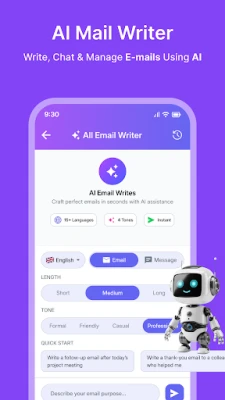
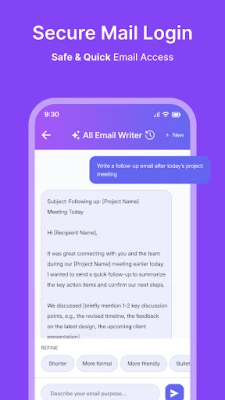
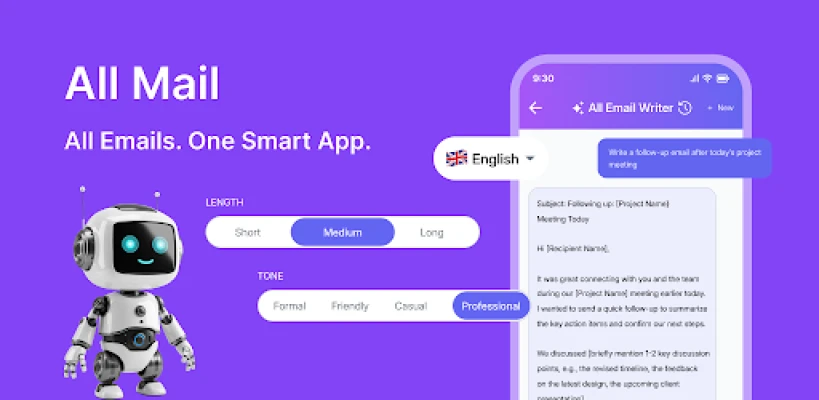
All Email Login is a free Android application developed by S4 IT TECHNOLOGIES. It provides a single place where you can sign in to multiple email accounts and read, reply to, and organize messages without switching between separate apps.
Main Features
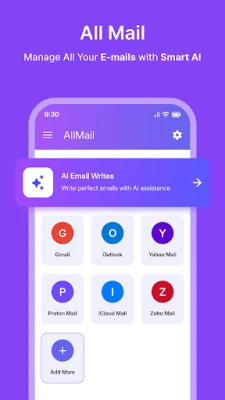
- Unified Inbox – All incoming messages from the accounts you add appear together, making it simple to stay on top of personal and work correspondence.
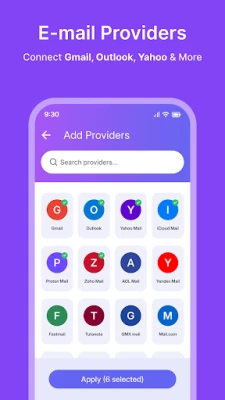
- Multiple Account Support – Add as many email addresses as you need, using common providers such as Gmail, Outlook, Yahoo and others.
- Switchable Views – While the default view shows a combined inbox, you can also filter to see messages from a specific account.
- Light and Dark Themes – Choose a visual style that matches your preference or lighting conditions, helping reduce eye strain during long reading sessions.
How It Works
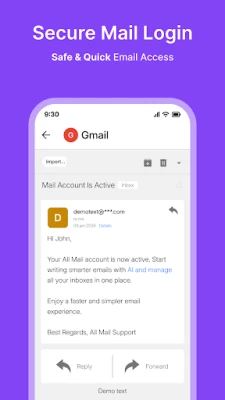
After installing the app, you are guided through a standard sign‑in process for each email account. The app stores your credentials securely on the device and synchronizes messages in the background. Once set up, new emails appear in the unified inbox, and you can tap any message to read its full content, reply, forward, or delete it just as you would in a native mail client.
Practical Uses
- Keep personal and professional communications separate yet accessible from one screen.
- Save battery and storage by using a single app instead of multiple email clients.
- Quickly scan all incoming mail without opening each account individually.
Installation Information
The app is available for free on the Appitika store. Tap the install button, grant the requested permissions for internet access and account synchronization, and the app will appear on your home screen once the download completes.
Things to Know Before Installing
- The app requires an internet connection to fetch and send messages.
- It stores login information locally; you should protect your device with a lock screen.
- Specific Android version requirements are not listed, so ensure your device runs a recent version of Android for optimal performance.
Who May Find It Useful?
Anyone who manages more than one email address—students, freelancers, small‑business owners, or anyone who prefers a consolidated view of their mail—will benefit from All Email Login.
Frequently Asked Questions
Can I add both IMAP and POP accounts?
Yes, the app supports standard email protocols used by most providers.
Is there a limit to the number of accounts I can add?
There is no published limit; you can add as many accounts as your device can handle.
Does the app support push notifications?
When enabled, the app can notify you of new messages based on the device’s notification settings.
Rate the App
User Reviews















Popular Apps










 Games
Games Entertainment
 Communication
 E-mail
 Security
 Tools
Tools Media
Media Internet
 Finance
 Design
 Education
 Android Firmwares
 Travel & Local
 Android
 Windows
 Linux
Linux