
Latest Version
Latest
August 13, 2026
All Email Login
Communication
Android
242
Free
com.allemail.login
Report a Problem
More About All Email Login – Manage Multiple Email Accounts in One App
What is All Email Login?
All Email Login is a free Android application that consolidates several email accounts into one interface. By adding your existing mail services, you can read, reply to, and organize messages without switching between separate apps.
Main Features
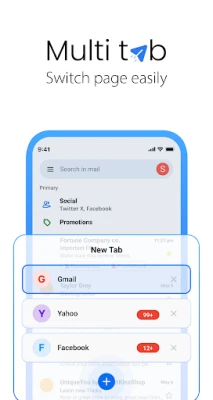
- Unified Inbox – View messages from all linked accounts in a single list.
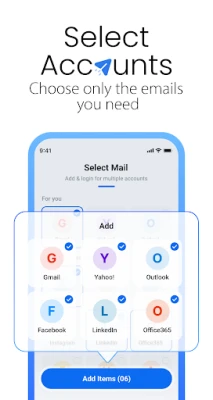
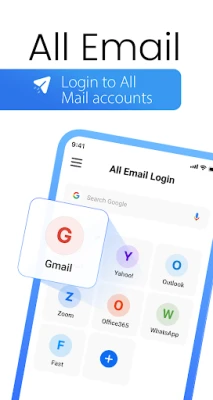
- Multiple Provider Support – Connect popular services such as Gmail, Outlook, Yahoo and other IMAP/SMTP based accounts.
- Lightweight Design – One app replaces several dedicated email clients, helping to keep device storage usage low.
- Basic Email Tools – Compose, reply, forward and delete messages directly from the unified view.
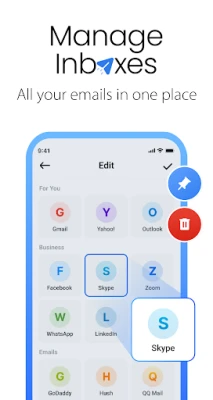
- Simple Account Management – Add, remove or edit accounts through an intuitive settings screen.
How It Works
After installing the app, you open it and choose to add a new email account. You will be prompted for the usual credentials (email address and password) and, where required, the server settings for incoming (IMAP/POP) and outgoing (SMTP) mail. Once the account is verified, its messages appear in the unified inbox alongside any other accounts you have added.
Practical Uses
- Keep personal and work email separate yet accessible from the same screen.
- Reduce the number of apps on your device, freeing up storage and simplifying notifications.
- Quickly scan all incoming messages without opening multiple applications.
Installation Information
The app is available for free on the Android platform. Download and install it like any other application. No special permissions beyond standard network access are required for basic email synchronization.
Things to Know Before Installing
- Make sure you have the correct server details for any non‑standard email provider.
- Because the app stores login credentials, use a strong device lock and consider enabling any built‑in Android security features.
Who May Find It Useful?
Anyone who manages more than one email address on a single Android device—students, professionals, freelancers, or anyone who prefers a single point of access for personal and work communications—will benefit from All Email Login.
Frequently Asked Questions
Can I add both IMAP and POP accounts?
Yes. The app supports both protocols, allowing you to choose the method that matches your email provider.
Is there a limit to the number of accounts I can add?
The app does not impose a hard limit; practical limits depend on device performance and storage.
Does the app sync contacts or calendars?
All Email Login focuses on email messages only; contacts and calendar integration are not part of its feature set.
Rate the App
User Reviews















Popular Apps










 Games
Games Entertainment
 Communication
 E-mail
 Security
 Tools
Tools Media
Media Internet
 Finance
 Design
 Education
 Android Firmwares
 Travel & Local
 Android
 Windows
 Linux
Linux