




Latest Version
Latest
August 28, 2026
eyeo GmbH
Communication
Android
50
Free
org.adblockplus.browser
Report a Problem
More About Adblock Browser: Fast & Secure – eyeo GmbH
What is Adblock Browser?
Adblock Browser is a free Android web browser developed by eyeo GmbH, the team behind the popular Adblock Plus extensions. It combines a standard browsing experience with built‑in ad‑blocking technology, aiming to reduce visual clutter, protect privacy, and improve performance.
Main features
- Integrated ad blocking – Blocks most banner, video and pop‑up ads without the need for a separate extension.
- Tracker protection – Prevents common tracking scripts from loading, helping to keep your browsing habits private.
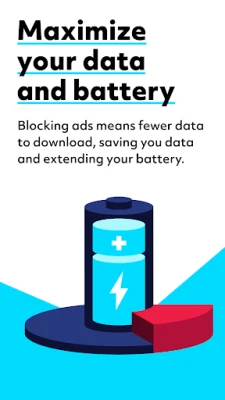
- Data‑saving – By stopping unwanted content from downloading, the browser can lower data usage and extend battery life.
- Simple interface – A clean layout that focuses on the web page itself, with easy access to settings for users who want more control.
How it works
The browser uses filter lists similar to those employed by Adblock Plus. When a page loads, the lists are consulted to identify elements that match known ad or tracker patterns. Those elements are prevented from downloading or rendering, which speeds up page load times and reduces visual noise.
Practical uses
Whether you are reading news, streaming video, or browsing social media, the built‑in blocker can make the experience smoother. Users who frequently travel on limited data plans may notice a reduction in data consumption, while those concerned about online profiling will appreciate the extra layer of privacy.
Installation information
Search for "Adblock Browser: Fast & Secure" in the Google Play Store and install it like any other app. The download size and required Android version are not specified here, so be sure to check the store listing for those details before installing.
Things to know before installing
- The browser blocks many ads by default, but some sites rely on advertising revenue. You can adjust the blocking settings or whitelist sites if you wish to support them.
- Because the app is free, it may include optional prompts to rate the app or provide feedback.
- All core functionality is provided without additional purchases.
Who may find it useful?
Anyone who wants a straightforward browsing experience without the distraction of ads will benefit. The browser is especially helpful for users who value privacy, have limited data plans, or simply prefer a cleaner interface.
Frequently asked questions
Does the browser block all ads?
It blocks the majority of intrusive ads and trackers, but some non‑intrusive ads may still appear, depending on the filter lists in use.
Can I customize the blocking behavior?
Yes. The settings menu allows you to add custom filters, whitelist specific sites, or adjust the level of protection.
Is the browser safe to use?
The app is developed by eyeo GmbH, a well‑known company in the ad‑blocking space. It follows standard Android security practices, but as with any software, keep it updated through the Play Store.
Rate the App
User Reviews















Popular Apps










 Games
Games Entertainment
 Communication
 E-mail
 Security
 Tools
Tools Media
Media Internet
 Finance
 Design
 Education
 Android Firmwares
 Travel & Local
 Android
 Windows
 Linux
Linux