

Latest Version
September 03, 2026
Stands
Communication
Android
2
Free
com.stands.browser
Report a Problem
More About Ad blocker browser for Android – Stands
What is Ad blocker browser for Android?
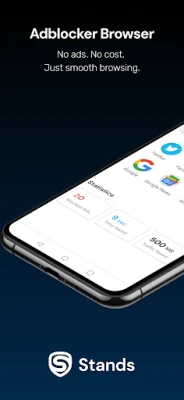
Ad blocker browser for Android is a web browser developed by Stands that integrates ad‑blocking technology directly into the browsing experience. It aims to reduce visual clutter, speed up page loading, and limit the amount of data that is transferred by removing advertisements and tracking scripts as you navigate the web.
Main features
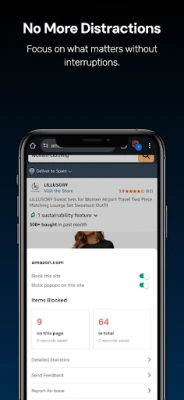
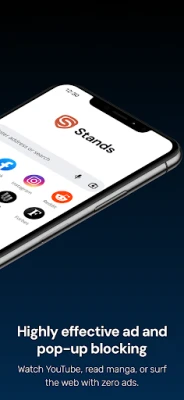
- Built‑in ad blocking – Blocks common ad formats such as banner ads, pop‑ups, and video ads across most websites.
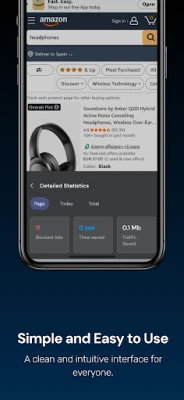
- Reduced data usage – By preventing ads and trackers from loading, the browser can lower the amount of data consumed during a browsing session.
- Improved battery life – Less processing of unwanted content can lead to modest savings in battery consumption.
- Incognito mode – A private browsing option that does not store history, cookies or form data.
- Customizable filters – Users can add sites to a whitelist or adjust the blocking intensity according to personal preferences.
How it works
The browser incorporates a filter list that identifies known advertising and tracking domains. When a page is requested, the browser checks each element against this list and prevents the loading of any matching resources. Because the blocking occurs before the content is rendered, pages often appear cleaner and load more quickly.
Practical uses
- Reading articles without interruption from banner or pop‑up ads.
- Watching videos on platforms that display pre‑roll or overlay ads.
- Saving mobile data when using limited or metered connections.
- Maintaining a more private browsing session by limiting third‑party trackers.
Installation information
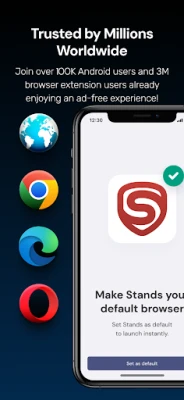
The application can be installed from the Google Play Store using the package name com.stands.browser. After installation, the browser can be set as the default web browser if desired, or used alongside existing browsers for specific tasks.
Things to know before installing
- The app is offered free of charge; no purchase is required.
- Because the ad‑blocking list is maintained by the developer, occasional updates may be needed to keep up with new advertising techniques.
- Some websites rely on ads for revenue; blocking ads may affect the functionality of those sites or limit access to certain content.
Who may find it useful?
Anyone who regularly browses the web on an Android device and wants a smoother, less cluttered experience can benefit from this browser. It is especially helpful for users on limited data plans, those who prefer a quieter reading environment, and anyone concerned about basic online privacy.
Frequently asked questions
Does the browser block all ads?
It blocks the majority of common ad formats, but some ads that are embedded in ways that bypass standard filter lists may still appear.
Can I disable ad blocking for specific sites?
Yes, the browser provides a whitelist feature that allows you to exempt particular domains from filtering.
Is my browsing data stored?
Standard browsing data such as history and cookies are stored unless you use incognito mode, which does not retain that information after the session ends.
Rate the App
User Reviews















Popular Apps










 Games
Games Entertainment
 Communication
 E-mail
 Security
 Tools
Tools Media
Media Internet
 Finance
 Design
 Education
 IT Tools
 Travel & Local
 Android
 Windows
 Linux
Linux