

Latest Version
September 01, 2026
NLL APPS
Communication
Android
7
Free
com.nll.cb
Report a Problem
More About ACR Phone – Dialer and Spam Call Blocker
What is ACR Phone?
ACR Phone, developed by NLL APPS, is a free Android dialer that replaces the standard phone app. It focuses on giving users control over incoming calls, offering tools for blocking spam, annotating calls, and handling multiple SIM cards or VoIP lines.
Main features
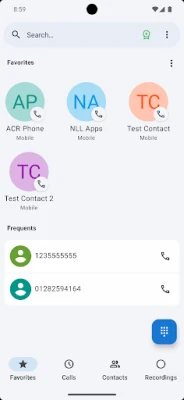
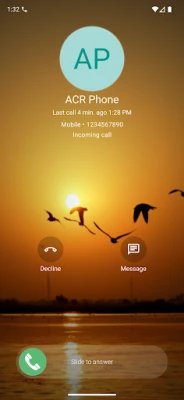
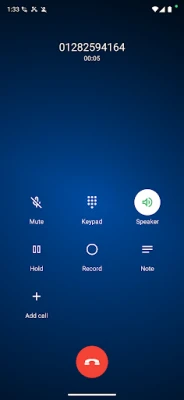
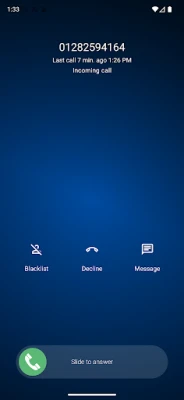
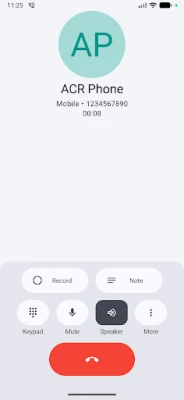
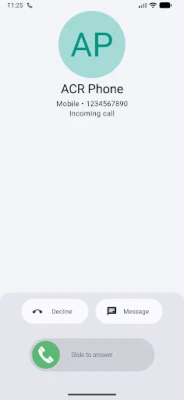
- Call handling – Make and receive calls with a clean interface that supports both voice and video calling screens.
- Offline blacklist – Build a personal blocklist without an internet connection. Numbers can be added from the call log, contacts, or typed manually, with exact or relaxed matching rules.
- Call announcer – Hear the caller’s name or number spoken aloud, useful when using headphones or a Bluetooth headset.
- Call notes – Attach short notes or reminders to a call while it’s active or after it ends.
- Backup options – Export and import call logs, contacts, and blacklist data for easy migration.
- Dual‑SIM support – Choose which SIM to use for each call or set a default dialing account.
- Contact management – A simple contact list that lets you quickly find and call people.
- SIP client – On supported devices, place and receive VoIP calls directly from the app.
- Call recording – Record calls on devices that allow it, with options to store recordings locally or upload to cloud services.
How it works
After installing, set ACR Phone as the default phone application in your device settings. Once active, the app takes over all call‑related functions. The blacklist works offline, so you can add numbers at any time without needing a network connection. Call notes are saved locally and can be viewed from the call log. If your device supports SIP or call recording, those options appear in the settings menu.
Practical uses
- Reduce interruptions by blocking telemarketing or spam numbers.
- Keep a record of important conversations with notes attached to each call.
- Manage two SIM cards without switching apps.
- Use VoIP numbers alongside your regular mobile line.
Installation information
Download the APK from a trusted source, install it, and grant the required permissions for phone, contacts, and storage. Then, navigate to Android’s default apps settings and select ACR Phone as the preferred phone app.
Things to know before installing
- The app requires permission to access calls, contacts, and storage to function fully.
- Call recording is only available on devices where the operating system permits it.
- SIP functionality depends on hardware and network support.
Who may find it useful?
Anyone who wants more control over incoming calls, especially users who receive frequent spam calls, manage multiple SIM cards, or need to keep notes linked to their conversations.
Frequently asked questions
Do I need an internet connection for the blacklist?
No. The blacklist is stored locally, so you can add or edit entries offline.
Can I use ACR Phone with two SIM cards?
Yes. The app lets you select which SIM to use for each call or set a default.
Is call recording available on all devices?
Call recording works only on devices that allow third‑party apps to access the call audio stream.
Rate the App
User Reviews















Popular Apps










 Games
Games Entertainment
 Communication
 E-mail
 Security
 Tools
Tools Media
Media Internet
 Finance
 Design
 Education
 IT Tools
 Travel & Local
 Android
 Windows
 Linux
Linux