


Latest Version
Latest
August 27, 2026
eyeo GmbH
Communication
Android
88
Free
org.adblockplus.adblockplussbrowser
Report a Problem
More About ABP for Samsung Browser – Ad‑Blocking Extension
What is ABP for Samsung Browser?
ABP for Samsung Browser is a lightweight extension created by eyeo GmbH that integrates the well‑known Adblock Plus technology directly into Samsung’s default web browser. It focuses on filtering out advertising content and known tracking elements while you browse the web on your Android device.
Main features
- Ad removal – Blocks most banner, video and pop‑up ads that would otherwise appear on web pages.
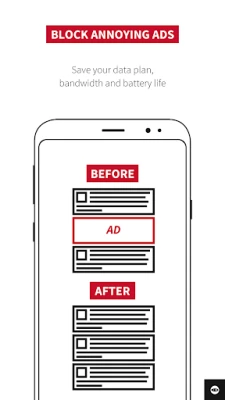
- Data savings – By preventing large ad files from downloading, the extension can help lower mobile data consumption.
- Faster page loads – With fewer resources to fetch, pages often render more quickly.
- Privacy protection – Known tracking scripts are filtered, reducing the amount of information shared with third parties.
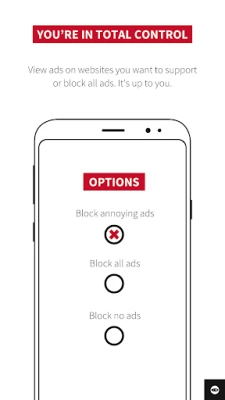
- Acceptable Ads option – Users can choose to allow non‑intrusive ads that meet the Acceptable Ads criteria, supporting sites that rely on ad revenue.
- Custom filter lists – Advanced users may add their own filter lists to tailor the blocking behavior.
How it works
When you install ABP for Samsung Browser, the extension runs in the background of the browser. As a page loads, ABP compares each request against a set of filter rules. Requests that match a rule are blocked before the content reaches the browser, so the ad never appears on your screen. The default filter set is maintained by eyeo and receives regular updates, ensuring new ad formats are addressed promptly.
Practical uses
Beyond removing visual clutter, the extension can be helpful in several everyday scenarios:
- Limited data plans – Users on capped mobile plans notice a reduction in data usage because large ad files are not downloaded.
- Improved readability – By eliminating sidebars and pop‑ups, articles and blog posts become easier to read.
- Battery life – Fewer network requests and less rendering work can translate into modest battery savings on long browsing sessions.
Installation information
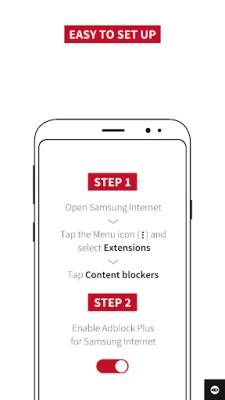
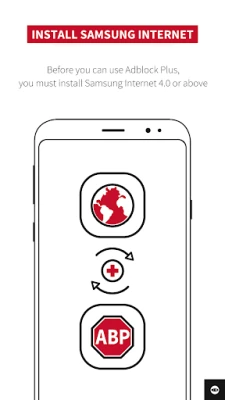
ABP for Samsung Browser is distributed through the Google Play Store. Search for the exact app name, verify the developer name (eyeo GmbH), and tap “Install.” The installation process follows the standard Android app flow; no additional permissions beyond what is required for a browser extension are requested.
Compatibility
The extension is designed specifically for Samsung Browser on Android devices. It does not currently work with other Android browsers such as Chrome, Firefox, or Opera. Compatibility with future versions of Samsung Browser is handled by eyeo through regular updates.
Things to know before installing
- The extension only affects web pages opened in Samsung Browser; other apps and browsers remain unaffected.
- Some websites may detect ad blocking and request that you disable the filter or whitelist the site to view content.
- Enabling the Acceptable Ads feature allows a limited set of non‑intrusive ads, which can help support content creators while still keeping the browsing experience clean.
Who may find it useful?
Anyone who uses Samsung Browser as their primary web client on Android and wants a smoother, less cluttered browsing experience will benefit from ABP. It is especially relevant for users concerned about data usage, page‑load speed, or online privacy.
Frequently asked questions
Does ABP block ads in other apps?
No. The extension works only within Samsung Browser. Other apps that display ads are not affected.
Can I support websites while using ABP?
Yes. By enabling the Acceptable Ads option, you allow a curated set of non‑intrusive ads to appear, which helps fund sites that rely on advertising revenue.
How are filter lists updated?
eyeo updates the default filter lists automatically. When a new version of the extension is released, the latest lists are bundled, and occasional background updates may occur.
Rate the App
User Reviews















Popular Apps










 Games
 Entertainment
 Communication
 E-mail
 Security
 Tools
 Media
 Internet
 Finance
 Design
 Education
 Android Firmwares
 Travel & Local
 Android
 Windows
 Linux