


Latest Version
Latest
September 10, 2026
Dingtone Communications Ltd
Communication
Android
2
Free
com.telos.app.im
Report a Problem
More About 2nd Phone Number: Text & Call – Private Calls & Messaging
What is 2nd Phone Number: Text & Call?
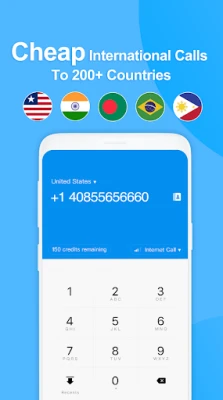
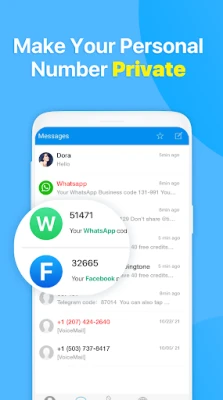
2nd Phone Number: Text & Call, developed by Dingtone Communications Ltd, lets you create an additional telephone number on your Android device. The extra line works like a regular mobile number – you can receive calls, send and receive SMS, and manage voicemail – but it stays separate from your primary carrier number.
Main features
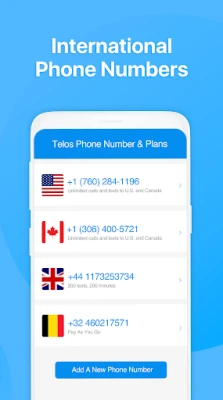
- Multiple country options – Choose a number from a range of supported countries.
- Call and text – Make outbound calls and send SMS using the secondary number.
- Voicemail & auto‑reply – Set up a personal greeting and automated text responses.
- Call forwarding – Forward incoming calls to any other phone line you prefer.
- Block unwanted contacts – Silence spam callers or messages directly within the app.
- Number portability – Option to move the purchased number to a traditional carrier, if supported.
How it works
After installing the app, you create an account and select a virtual number from the available list. The app assigns the number to your device and provides a dedicated interface for managing calls and messages. Outgoing calls are routed over the internet, while incoming calls are delivered to the app as push notifications. SMS messages are handled similarly, allowing you to reply without exposing your personal line.
Practical uses
- Keep your personal number private when registering on dating apps or social platforms.
- Use a disposable number for short‑term projects, classifieds, or online marketplaces.
- Maintain a local presence while traveling abroad without incurring roaming fees.
- Separate business communications from personal contacts on a single device.
Installation information
Search for "2nd Phone Number: Text & Call" in the Google Play Store, tap Install, and grant the required permissions for phone and SMS handling. Once installed, open the app, follow the onboarding steps, and choose a number that fits your needs.
Things to know before installing
- The app requires internet access for call routing and messaging.
- Charges may apply for purchasing a virtual number and for any premium calling or texting plans.
- Availability of numbers varies by country and may be limited in some regions.
Who may find it useful?
Anyone who wants to protect their personal contact information – from frequent online shoppers and social media users to freelancers handling client calls – can benefit from a secondary number. Travelers, remote workers, and people managing multiple projects also appreciate the flexibility of keeping separate communication channels on one device.
Frequently asked questions
Do I need a separate SIM card?
No. The virtual number works entirely within the app and does not require additional hardware.
Can I receive calls if the app is closed?
Incoming calls appear as push notifications, so you can see them even when the app is not actively open, provided the device has network connectivity.
Is the number tied to my Google account?
The number is linked to the account you create within the app, not directly to your Google account, allowing you to manage it independently.
What happens to the number if I stop using the service?
Depending on the provider’s policy, the number may be released after a period of inactivity or when you choose to cancel the subscription.
Rate the App
User Reviews














Popular Apps










 Games
Games Entertainment
 Communication
 E-mail
 Security
 Tools
Tools Media
Media Internet
 Finance
 Design
 Education
 IT Tools
 Travel & Local
 Android
 Windows
 Linux
Linux