

Latest Version
Latest
August 28, 2026
Pretty Boa Media Ltd
Communication
Android
104
Free
com.prettyboa.secondphone
Report a Problem
More About 2nd Phone Number Calling, Text – Free Second Line App
What is 2nd Phone Number Calling, Text?
2nd Phone Number Calling, Text is a free Android application that lets you create an additional telephone line on your device. The app provides a virtual number that works over Wi‑Fi or mobile data, allowing you to place calls and send SMS messages without needing a physical SIM card.
Main features
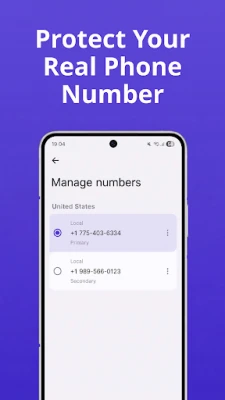
- Multiple virtual lines – You can add one or more secondary numbers within the same app.
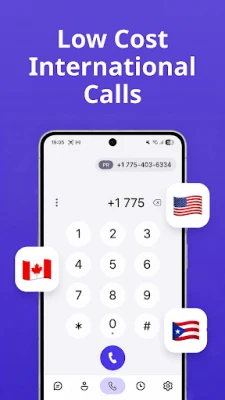
- Voice over IP calling – Calls are routed over the internet, delivering clear audio quality.
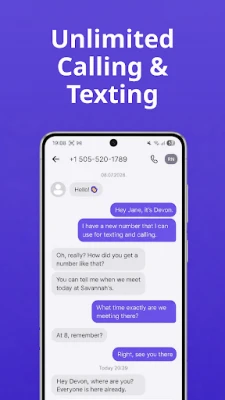
- Text messaging – Send and receive SMS from your virtual number just like a regular phone.
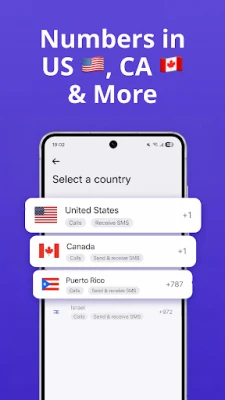
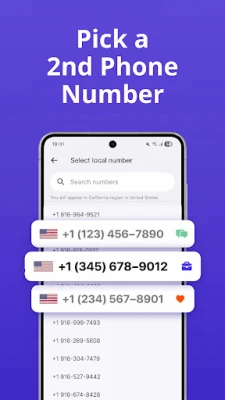
- Number selection – Choose from a pool of available numbers in supported regions.
- Privacy controls – Use the virtual line for anonymous communication or to keep personal and professional contacts separate.
How it works
After installing the app, you create an account and are presented with a list of available numbers. Once you select a number, the app registers it on the service’s backend. All incoming calls and messages are forwarded to the app, where you can answer, reply, or forward them as needed. Outgoing calls and texts use the virtual number as the caller ID, so the recipient sees the selected line rather than your primary mobile number.
Practical uses
- Business separation – Keep client communications on a dedicated line without purchasing a second device.
- Online marketplaces – Protect your personal number when posting ads or negotiating sales.
- Dating and social apps – Share a temporary number for added privacy.
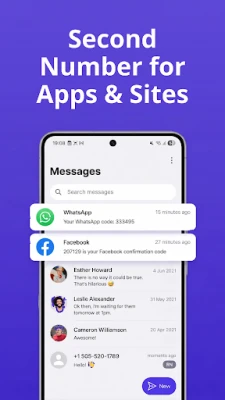
- Verification codes – Receive SMS verification for services like WhatsApp Business without exposing your main number.
Installation information
The app is available as a free download from the Google Play Store. Simply search for the package name com.prettyboa.secondphone, tap Install, and follow the on‑screen prompts to set up your account.
Things to know before installing
- The service relies on an internet connection; call quality may vary with network speed.
- Standard carrier rates apply for any data usage incurred while the app is active.
- While the app provides a free tier, additional credits may be required for certain international calls or premium features.
Who may find it useful?
Freelancers, small business owners, frequent online sellers, and anyone who wants to keep personal and professional communications distinct will benefit from a virtual second line. The app also appeals to users who travel and need a local number without changing SIM cards.
Frequently asked questions
- Do I need a SIM card for the virtual number? No. The number works entirely over Wi‑Fi or mobile data.
- Can I use the virtual number for voice calls only? Yes, you can make voice calls without sending SMS, and vice versa.
- Is my data private? The app uses standard encryption for communication, but you should review the privacy policy for details on data handling.
- What happens if I uninstall the app? The virtual number remains registered to your account; you can reinstall and regain access.
Rate the App
User Reviews















Popular Apps










 Games
 Entertainment
 Communication
 E-mail
 Security
 Tools
 Media
 Internet
 Finance
 Design
 Education
 Android Firmwares
 Travel & Local
 Android
 Windows
 Linux