


Latest Version
Latest
September 08, 2026
TalkU International Inc.
Communication
Android
24
Free
me.talkyou.app.im
Report a Problem
More About 2nd Phone Number – Call & Text by TalkU
What is 2nd Phone Number – Call & Text?
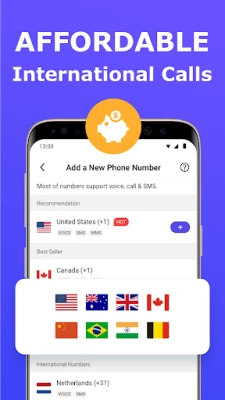
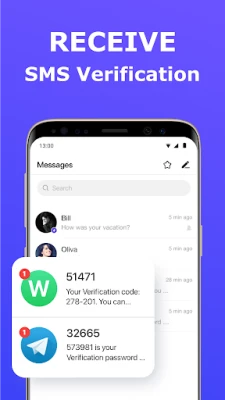
2nd Phone Number – Call & Text, developed by TalkU International Inc., lets you create an additional telephone line that works entirely over the internet. The app assigns you a virtual number that can send and receive voice calls and SMS messages without using your carrier‑provided SIM.
Main features
- Separate number for privacy – Keep your personal number hidden when you need to share a contact for work, dating, or online sign‑ups.
- Wi‑Fi and cellular data calling – Calls and texts are routed through a VoIP connection, so you can use any internet connection.
- Multiple numbers – The app supports more than one virtual line, allowing you to manage different contacts or purposes.
- International reach – Send SMS to most global destinations and place calls to landlines and mobile phones worldwide.
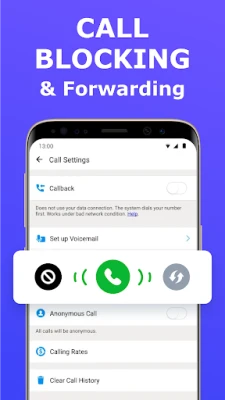
- Visual voicemail – Listen to voice messages directly inside the app.
- Call management tools – Block unwanted callers and screen incoming calls.
How it works
After installing the app, you create an account and choose a virtual number from the available list. The app credits your account with a small amount of free usage; additional credits can be earned within the app or purchased. When you place a call or send a message, the data travels over TalkU’s dedicated VoIP network, then is delivered to the recipient’s regular phone network.
Practical uses
- Professional separation – Use the virtual line for client communications, keeping your personal number private.
- Online services – Register for social platforms, marketplaces, or dating apps without exposing your real number.
- Travel – Stay reachable on a familiar number while abroad, avoiding roaming charges.
- Tablet users – Turn a Wi‑Fi‑only tablet into a functional phone.
Installation information
The app is available as a free download from the Google Play Store. Simply search for "2nd Phone Number – Call & Text" or use the package name me.talkyou.app.im. After installation, grant the permissions required for microphone access and network connectivity to enable calling and messaging.
Things to know before installing
- The service relies on an active internet connection; call quality depends on network speed and stability.
- Standard data rates from your mobile provider may apply if you use cellular data.
- Some countries may have restrictions on VoIP services; check local regulations if you encounter issues.
Who may find it useful?
Freelancers, small‑business owners, frequent travelers, and anyone who wants a convenient way to keep personal and professional communications separate will benefit from this app.
Frequently asked questions
Do I need a SIM card to use the app?
No. The virtual number works entirely over the internet, so a SIM is not required for calling or texting.
Can I receive calls when the app is closed?
Incoming calls are routed to the app’s notification system; you will be notified as long as the device has an active data connection.
Is there a limit to how many virtual numbers I can have?
The app allows multiple numbers, but the exact limit depends on account status and available credits.
Rate the App
User Reviews















Popular Apps










 Games
Games Entertainment
 Communication
 E-mail
 Security
 Tools
Tools Media
Media Internet
 Finance
 Design
 Education
 Android Firmwares
 Travel & Local
 Android
 Windows
 Linux
Linux