


Latest Version
September 01, 2026
Innoric Androider Solutions
Communication
Android
4
Free
com.second.phone.number
Report a Problem
More About 2nd Line Second Phone Number – Free Calls & Texts
What is 2nd Line Second Phone Number?
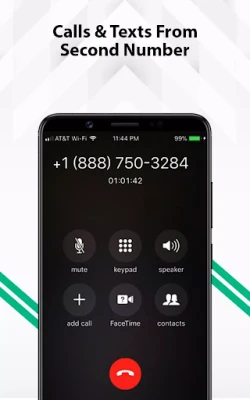
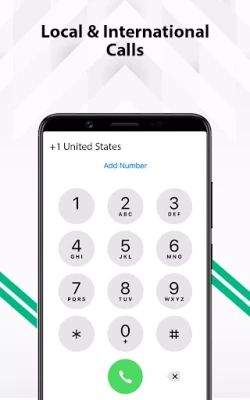
2nd Line Second Phone Number is a free Android app that lets you create an additional telephone line on your device. The extra number works like a regular mobile line for voice calls and text messages, but it is delivered over the internet rather than a physical SIM card. This makes it useful for anyone who wants a separate contact channel without the cost or hassle of a second device.
Main features
- Separate phone number – Obtain a distinct number that can be used for calls, SMS, and messaging apps.
- Internet‑based calling – Voice calls are routed through data, so you can stay connected even when you have no cellular signal.
- Unlimited texting – Send and receive standard SMS without limits, as long as you have an internet connection.
- Privacy control – Keep your personal number private by sharing the secondary line with contacts, services, or online accounts.
- Multiple region options – Choose from a selection of country codes to match the region you need.
How it works
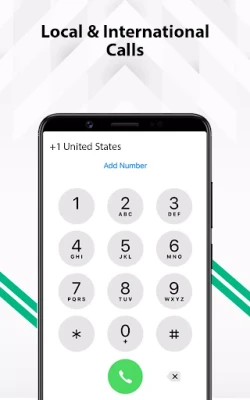
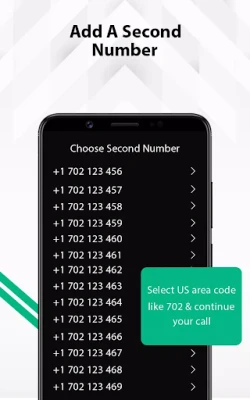
After installing the app, you create an account and select a desired country code. The service assigns a virtual number that appears in your contact list like any other phone line. When you place a call or send a message, the app uses your device’s data connection (Wi‑Fi or mobile data) to route the communication through its servers. Incoming calls and texts are delivered to the app, where you can answer, reply, or forward them as needed.
Practical uses
- Online registrations – Use the secondary number to verify accounts on social platforms, marketplaces, or dating apps without exposing your primary number.
- Work‑life balance – Keep business contacts on a dedicated line while preserving your personal number for friends and family.
- Travel – When abroad, stay reachable on a local‑style number without incurring roaming charges.
- Temporary projects – Set up a short‑term line for a freelance gig, event coordination, or a community group.
Installation information
The app is distributed as a free download from the Google Play Store. Simply search for "2nd Line Second Phone Number" or use the package name com.second.phone.number. Tap Install, grant the required permissions for phone and contacts access, and launch the app to begin the setup process.
Things to know before installing
- The app requires an active internet connection for both registration and ongoing use.
- Calls and texts are delivered through the app’s service; they do not use your carrier’s voice or SMS plan.
- Standard data charges from your mobile provider may apply when using mobile data instead of Wi‑Fi.
- Some services may restrict verification to carrier‑issued numbers; the virtual number may not work for every verification request.
Who may find it useful?
Anyone who needs an extra line without buying a new SIM can benefit from this app. Typical users include freelancers managing client contacts, parents who want a dedicated line for school communications, travelers seeking a local‑style number, and privacy‑conscious individuals who prefer not to share their primary phone number online.
Frequently asked questions
Is the secondary number a real phone number?
Yes, the app provides a fully functional telephone number that can receive calls and SMS, just like a traditional mobile line.
Do I need a SIM card for the secondary line?
No. The number operates over the internet, so a physical SIM is not required.
Can I use the secondary number with WhatsApp or other messaging apps?
Because the number can receive SMS verification codes, you can register it with WhatsApp, Telegram, or similar services, provided those services accept virtual numbers.
Is there a limit to how many calls or messages I can send?
The app is marketed as offering unlimited texting and calling within the supported regions, subject to normal data usage limits from your carrier.
What happens if I uninstall the app?
Uninstalling removes the app’s local data, but the virtual number remains associated with your account. You can reinstall and regain access by signing back in.
Rate the App
User Reviews















Popular Apps










 Games
Games Entertainment
 Communication
 E-mail
 Security
 Tools
Tools Media
Media Internet
 Finance
 Design
 Education
 IT Tools
 Travel & Local
 Android
 Windows
 Linux
Linux