
Latest Version
August 25, 2026
Flux AI Labs
Communication
Android
89
Free
com.phonebooster.deepcleaner
Report a Problem
More About 2nd Line – Private Second Phone Number
What is 2nd Line?
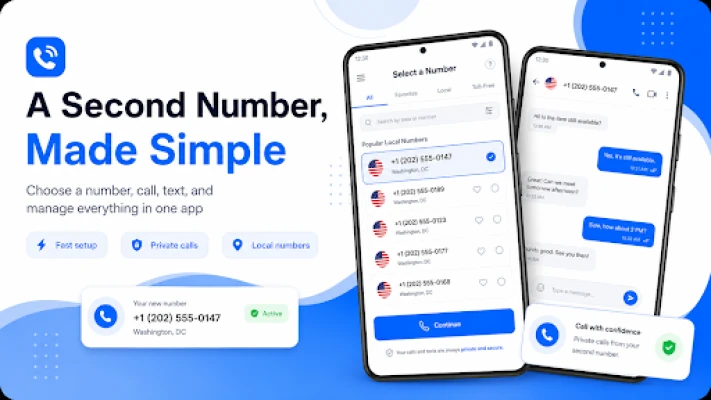
2nd Line is a free Android app that lets you create a virtual phone number separate from the number tied to your SIM card. The virtual line works like a regular mobile line: you can send and receive SMS messages, place outbound calls, and receive inbound calls when the number supports it. The app is designed for users who need a clean way to keep personal and professional communications apart, or who want a disposable number for online verification.
Main features
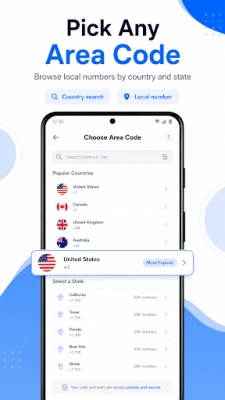
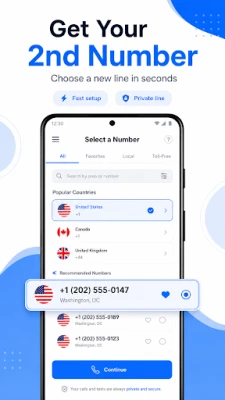
- Choose a virtual number – Select a number from supported countries, with options for local, mobile or toll‑free formats where available.
- Send and receive SMS – Use the app’s messaging interface to exchange text messages just as you would on a regular phone.
- Make outbound calls – Place calls that display your virtual number to the recipient.
- One‑time code numbers – Generate short‑term numbers specifically for receiving verification codes from services that require SMS authentication.
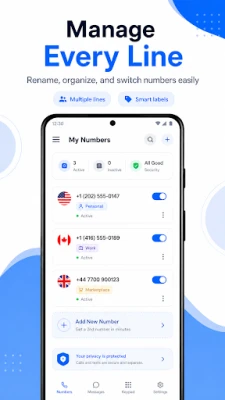
- Unified management – View all numbers, messages, call logs and usage balance in a single dashboard.
How it works
After installing the app, you create an account and select a virtual number from the list of available options. The number is provisioned through the service’s backend and linked to your device. All inbound and outbound traffic is routed through the app, which handles the signaling and message delivery over the internet. When you need a one‑time code, you can request a temporary number that expires after a short period, helping you keep your primary number out of the hands of third‑party services.
Practical uses
- Business separation – Keep client calls and messages on a dedicated line without giving away your personal number.
- Online registrations – Use a virtual number for sign‑ups, newsletters or marketplaces that require a phone number.
- Travel – Obtain a local number in a destination country to avoid roaming charges while staying reachable.
- Privacy protection – Share a second line on classifieds, dating apps or social platforms to reduce unwanted contact.
Who may find it useful?
Freelancers, small‑business owners, frequent travelers, privacy‑conscious individuals, and anyone who regularly needs to verify accounts via SMS will benefit from a separate, easily managed phone line.
Things to know before installing
- The availability of numbers varies by country and may not cover every region.
- Some online services block virtual or temporary numbers, so verification may not always succeed.
- Usage of calls and SMS consumes tokens or credits that are managed within the app; you will need to purchase additional credits if you exceed the free allowance.
Frequently asked questions
Do I need a SIM card to use 2nd Line?
No. The app works over data or Wi‑Fi, and the virtual number is independent of any physical SIM.
Can I receive regular phone calls on my virtual number?
Inbound calls are supported where the selected number type allows it. The app will notify you of incoming calls just like a native dialer.
Is my personal number ever shown to contacts?
Only the virtual number you choose is displayed to the other party. Your real SIM number remains hidden unless you manually share it.
How are one‑time code numbers different?
One‑time code numbers are temporary and intended solely for receiving verification SMS. They expire after a short period, reducing the risk of long‑term exposure.
Rate the App
User Reviews















Popular Apps










 Games
 Entertainment
 Communication
 E-mail
 Security
 Tools
 Media
 Internet
 Finance
 Design
 Education
 Android Firmwares
 Travel & Local
 Android
 Windows
 Linux