

Latest Version
Latest
September 13, 2026
Zynga
Games
Android
2
Free
com.zynga.words3
Report a Problem
More About Words With Friends – Classic Multiplayer Word Game
What is Words With Friends?
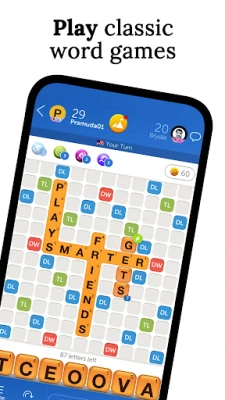
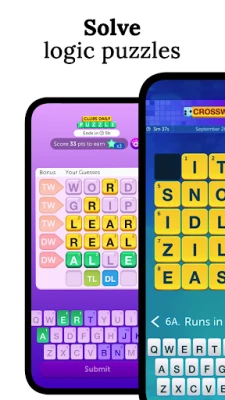
Words With Friends is a free mobile word game developed by Zynga. It follows the familiar layout of a Scrabble‑style board, letting you place letter tiles to form words and earn points. The game is designed for both casual play and competitive matches, offering a social experience that can be enjoyed with friends, family, or strangers.
Main features
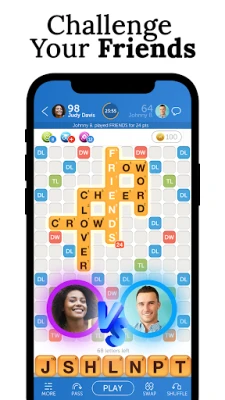
- Multiplayer matches – Invite contacts or use the Smart Match system to find opponents of similar skill.
- Turn‑based gameplay – Play at your own pace; you receive a notification when it’s your turn.
- Word‑building tools – The built‑in dictionary highlights valid words and suggests possible placements.
- Progressive challenges – Earn in‑game rewards by completing word goals and advancing through themed events.
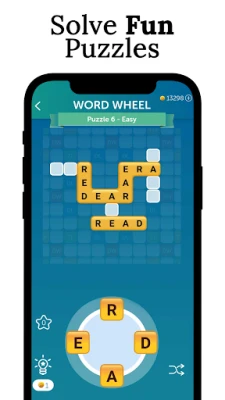
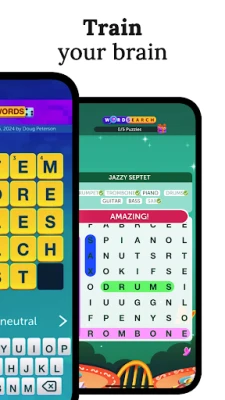
- Solo puzzles – When you prefer a single‑player experience, the game includes word‑search style challenges against AI opponents.
How it works
After installing the app, you create a Zynga account or sign in with an existing social profile. Once logged in, you can start a new game by selecting a friend from your contacts or letting the Smart Match algorithm pair you with a random player. Each turn, you receive seven letter tiles. Drag a tile onto the board to form a word that connects with existing tiles. The game automatically calculates the score based on letter values and board bonuses. When you finish your move, the turn passes to your opponent.
Practical uses
- Vocabulary building – Regular play introduces new words and reinforces spelling.
- Brain exercise – Strategic placement and word‑finding keep the mind active.
- Social connection – Compete with friends or meet new players through the matchmaking system.
Installation information
The app is available through the Google Play Store. Search for the package name com.zynga.words3 or the title “Words With Friends”. Tap “Install” and wait for the download to complete. The initial launch may request permission to access your contacts for friend‑finding and to send notifications for turn alerts.
Things to know before installing
- The game is free to download and play, but it includes optional in‑app purchases such as extra tile racks or cosmetic themes.
- An internet connection is required for multiplayer matches and for syncing progress across devices.
- Because the game relies on a live dictionary, occasional updates may be delivered automatically.
Who may find it useful?
Anyone who enjoys word puzzles, wants to improve spelling, or looks for a low‑pressure competitive game will appreciate Words With Friends. It works well for students, language learners, and casual gamers who enjoy short, turn‑based sessions.
Frequently asked questions
Do I need a constant internet connection?
Yes, the game needs an online connection for multiplayer matches and to keep your game data synchronized.
Can I play without creating a Zynga account?
A Zynga account is required to save progress and play with others. You can sign up using an email address or link a social media profile.
Is the game safe for children?
The game is rated for a general audience. Parents can control who can contact the player through the in‑app privacy settings.
Rate the App
User Reviews













Popular Apps










 Games
Games Entertainment
 Communication
 E-mail
 Security
 Tools
Tools Media
Media Internet
 Finance
 Design
 Education
 IT Tools
 Travel & Local
 Android
 Windows
 Linux
Linux