
Latest Version
Latest
September 03, 2026
Two4tea
Games
Android
10
Free
fr.two4tea.zip
Report a Problem
More About Trace – Puzzle Game
What is Trace?
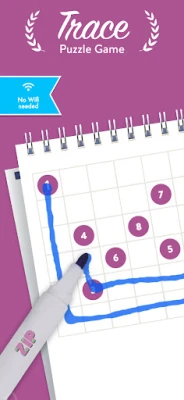
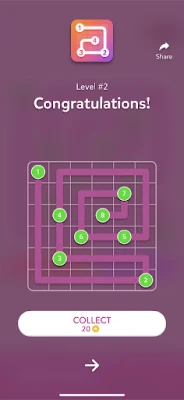
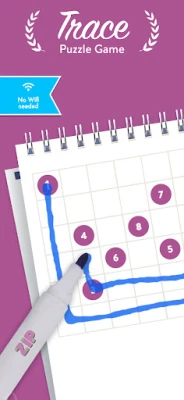
Trace is a free Android puzzle app that challenges you to link numbered cells in the correct order until every square of the grid is filled. The game focuses on pure logic, without timers, lives, or in‑app purchases, making it a quiet companion for anyone who enjoys a mental workout.
Main features
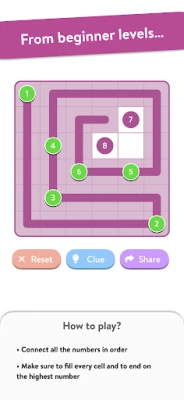
- Simple premise: Connect numbers from 1 upward, following the path that completes the whole board.
- Minimalist design: Clean visuals keep the focus on the puzzle rather than flashy graphics.
- Offline play: No internet connection is required after installation.
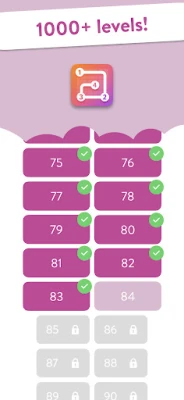
- Unlimited levels: New puzzles are generated as you progress, so the challenge never ends.
- No pressure mechanics: There are no timers, lives, or ads that interrupt gameplay.
How it works
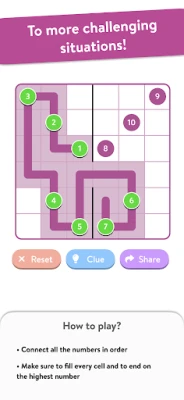
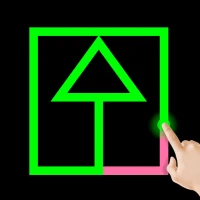
Each level presents a grid with a few numbers already placed. Your task is to draw a continuous line that visits every cell exactly once, starting at the lowest number and ending at the highest. The correct sequence fills the entire board, and the app automatically checks your solution. If a mistake is made, you can clear the board and try again.
Practical uses
Trace serves as a low‑stress way to keep your mind active. It can be used during short breaks, while commuting, or as a nightly routine to unwind. Because the game does not rely on external data, it is suitable for travel or situations where connectivity is limited.
Who may find it useful?
- People who enjoy logic‑based puzzles such as Sudoku or nonograms.
- Students looking for a quick mental refresher between study sessions.
- Anyone seeking a calm, screen‑time activity without intrusive notifications.
Installation information
The app is available through the standard Android package manager. After downloading, follow the usual installation prompts. No additional configuration is required to start playing.
Things to know before installing
- The app does not request unnecessary permissions; it only needs basic storage access to save your progress.
- Because the game is free, there are no hidden fees or subscription models.
- Performance is modest, so it runs smoothly on most Android devices, even those with limited hardware resources.
Frequently asked questions
Do I need an internet connection to play?
No. Once installed, all puzzles are generated locally, allowing you to play anywhere.
Can I reset a level if I get stuck?
Yes. A clear button lets you restart the current board without affecting other levels.
Is there a way to track my progress?
The app records completed levels and shows a simple count of how many puzzles you have solved.
Rate the App
User Reviews











Popular Apps










 Games
Games Entertainment
 Communication
 E-mail
 Security
 Tools
Tools Media
Media Internet
 Finance
 Design
 Education
 IT Tools
 Travel & Local
 Android
 Windows
 Linux
Linux