

Latest Version
Latest
August 16, 2026
Imangi Studios
Games
Android
75
Free
com.imangi.templerun2
Report a Problem
More About Temple Run 2 – Endless Jungle Runner
What is Temple Run 2?
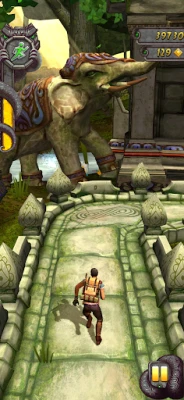
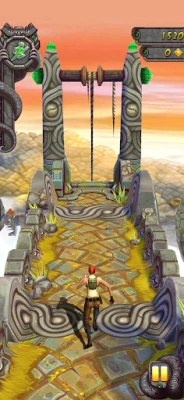
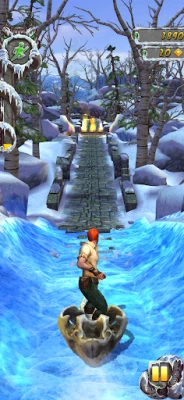
Temple Run 2 is an endless‑runner adventure developed by Imangi Studios. In the game you control a character who has just escaped a crumbling temple and must keep moving forward, navigating obstacles and collecting coins while a relentless Demon Monkey gives chase.
Main features
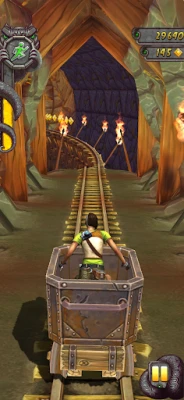
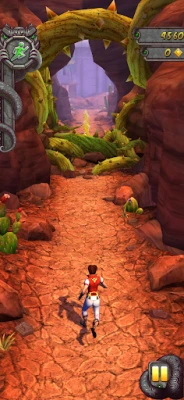
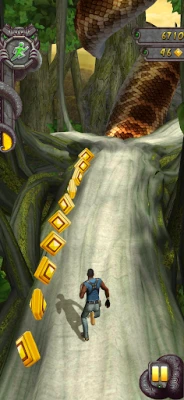
- Dynamic environments – Each run takes you through a different setting such as dense jungles, volcanic cliffs, icy slopes or ancient ruins, keeping the visual experience fresh.
- Simple swipe controls – Turn, jump, slide or dash by swiping on the screen, allowing quick reactions without complex button layouts.
- Varied characters – Choose from several playable characters, each with a distinct look. Some characters may have subtle differences in animation or visual effects.
- Power‑ups – Collect shields, coin magnets and speed boosts during a run to extend your distance and increase your score.
- Offline play – The game does not require an internet connection, making it suitable for travel or situations with limited data.
How it works
When you start a session, your character runs automatically along a winding path. The game generates obstacles in real time, so you must react quickly by swiping:
- Turn – Swipe left or right to change direction at forks.
- Jump – Swipe up to leap over gaps, low barriers or rolling objects.
- Slide – Swipe down to duck under overhead obstacles.
- Dash – A quick forward swipe gives a short burst of speed, useful for escaping tight spots.
Coins scattered along the route can be collected for later use, and occasional power‑ups appear to help you survive longer runs.
Practical uses
Temple Run 2 offers a quick, pick‑up‑and‑play experience that fits well into short breaks, commutes or waiting periods. Because it runs offline, you can enjoy it on flights, trains or in areas with poor connectivity. The game also serves as a light‑weight way to practice hand‑eye coordination and reaction timing.
Installation information
To install, open the Google Play Store on your Android device, search for “Temple Run 2”, and tap the Install button. The app is free to download and play. After installation, launch the game and follow the brief tutorial that introduces the swipe gestures.
Things to know before installing
- The game may request access to storage for saving progress and high‑score data.
- While the core experience is offline, optional in‑app purchases are available for cosmetic items or additional characters.
- Performance can vary based on device hardware; older phones may experience lower frame rates during intense sections.
Who may find it useful?
Anyone who enjoys fast‑paced arcade action, casual gamers looking for a short‑session title, or players who appreciate a game that can be played without an internet connection will likely enjoy Temple Run 2. Its simple controls also make it accessible to younger players.
Frequently asked questions
Do I need an internet connection to play?
No. Temple Run 2 works fully offline after it is installed.
Can I play without making purchases?
Yes. All core gameplay elements are available for free; purchases are optional and mainly cosmetic.
How are high scores saved?
Progress and high scores are stored locally on your device. Some versions may offer cloud backup if you link a Google account.
Is there a limit to how long a run can last?
The game is designed to be endless, so the length of each run depends on your skill and how long you can avoid obstacles.
Rate the App
User Reviews
Other Apps in This Category














Popular Apps










 Games
Games Entertainment
 Communication
 E-mail
 Security
 Tools
Tools Media
Media Internet
 Finance
 Design
 Education
 Android Firmwares
 Travel & Local
 Android
 Windows
 Linux
Linux