

Latest Version
Latest
September 16, 2026
Abdullah Babar
Games
Android
15
Free
com.abzcooo.stretchyface
Report a Problem
More About Stretchy Face – Fun Face‑Stretching Toy
What is Stretchy Face?
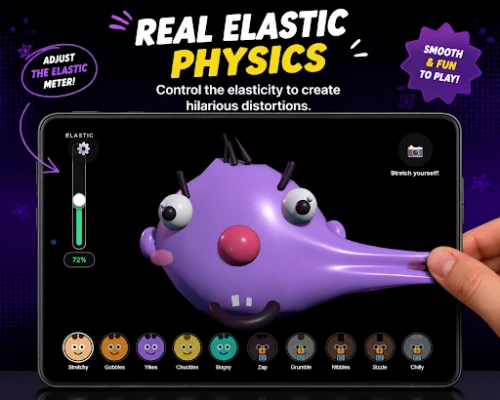
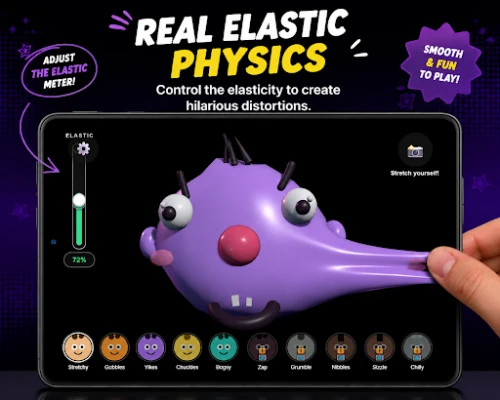
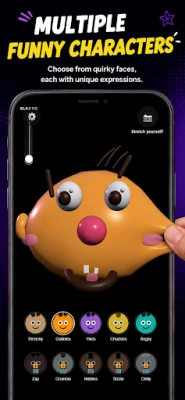
Stretchy Face is a simple Android utility that turns a playful cartoon face into an interactive stress‑relief toy. The app also lets you import a picture from your gallery and apply the same stretching effect, turning everyday photos into amusing, elastic caricatures.
Main Features
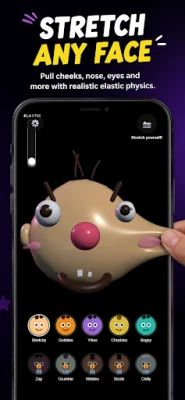
- Interactive stretching: Drag your finger across the on‑screen face to elongate, compress, or warp its features in real time.
- Photo import: Choose any image from your device and apply the stretch effect, creating a personalized, funny version of the original.
- Instant reset: A single tap restores the face or photo to its original shape.
- Lightweight design: The app runs smoothly on most Android devices without demanding extensive resources.
How It Works
When you launch Stretchy Face, a cartoon face appears at the center of the screen. By pressing and dragging, you manipulate the facial elements—eyes, mouth, and cheeks—causing them to expand or contract. To use your own picture, tap the gallery icon, select an image, and the same stretching gestures become available on that photo. The app processes the deformation locally, so no data leaves your device.
Practical Uses
- Stress relief: A quick stretch session can provide a brief mental break during a busy day.
- Creative fun: Share the stretched images with friends for a lighthearted joke.
- Ice‑breaker: Use the app in group settings to spark laughter and conversation.
Installation Information
Install Stretchy Face from the Appitika store by tapping the Install button. The app requires Android, but the specific version range is not listed; it is designed to work on a broad set of devices. After installation, open the app and grant permission to access your photos if you wish to stretch personal images.
Things to Know Before Installing
- The app is free to download and use.
- No in‑app purchases or ads are mentioned in the available information.
- It accesses your gallery only when you choose to import a picture; otherwise it operates offline.
Who May Find It Useful?
Anyone looking for a quick, whimsical distraction can benefit from Stretchy Face. It is especially appealing to users who enjoy simple, gesture‑based games, as well as those who like to create quirky images to share on social media or with friends.
Frequently Asked Questions
Do I need an internet connection?
No. All stretching actions are performed locally on your device.
Can I save the stretched images?
The app’s basic description does not specify a save function, but most similar utilities allow you to capture a screenshot of the result.
Is the app safe for my privacy?
The app only requests access to your photos when you choose to import an image. No other permissions are indicated.
Rate the App
User Reviews















Popular Apps










 Games
Games Entertainment
 Communication
 E-mail
 Security
 Tools
Tools Media
Media Internet
 Finance
 Design
 Education
 IT Tools
 Travel & Local
 Android
 Windows
 Linux
Linux