

Latest Version
Latest
September 18, 2026
GOOD TO SEE YOU
Games
Android
75
Free
com.gtsy.draw.challenge
Report a Problem
More About Single Line Puzzle Drawing – Creative Line‑Drawing Challenge
What is Single Line Puzzle Drawing?
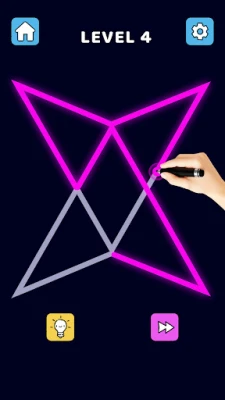
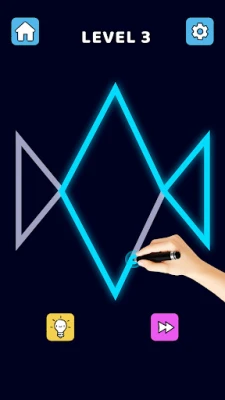
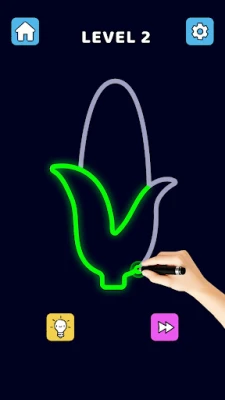
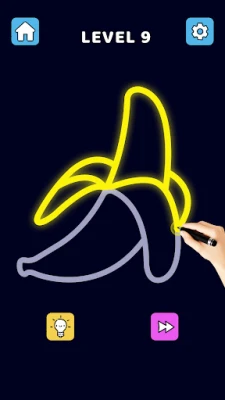
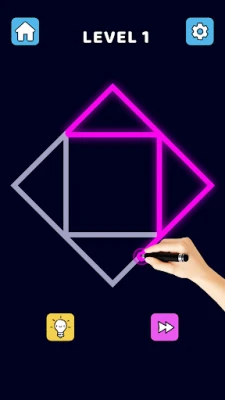
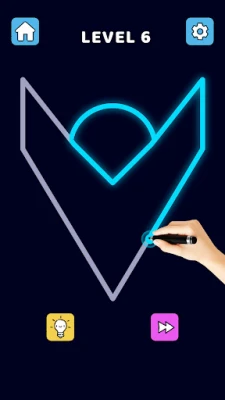
Single Line Puzzle Drawing is a free Android game that blends simple drawing mechanics with classic puzzle solving. Players are presented with a series of dot patterns and must connect them using one uninterrupted stroke, creating recognizable shapes without lifting their finger.
Main Features
- Single‑stroke puzzles: Each level requires you to find a path that visits every dot exactly once.
- Progressive difficulty: Levels start easy and gradually introduce more complex arrangements to keep the challenge fresh.
- Hint system: If you get stuck, the game offers optional hints that highlight possible moves without giving away the full solution.
- Clean interface: Minimalist graphics focus attention on the puzzle itself, making it easy to play on any screen size.
- Touch‑friendly controls: Draw with a single finger; the app tracks your line in real time.
How It Works
When you launch the app, you’ll see a grid of dots forming a hidden shape. Tap and hold on a starting dot, then drag your finger to connect subsequent dots. The line cannot cross itself, and you must use every dot exactly once. Once the shape is completed, the app checks your path and either celebrates the success or indicates where the line deviated from a valid solution.
Practical Uses
The game serves both entertainment and mental exercise. It helps improve:
- Spatial awareness – visualizing how a line can travel through a set of points.
- Problem‑solving skills – planning a route before drawing.
- Fine motor control – steady finger movement on a touchscreen.
Because the puzzles are short, you can play a few rounds during a break or a longer session when you have more time.
Who May Find It Useful?
Anyone who enjoys casual brain games will appreciate Single Line Puzzle Drawing. It is especially suitable for:
- Students looking for a quick mental warm‑up.
- Adults who enjoy low‑stress puzzle apps.
- People who like drawing but prefer guided challenges.
Installation Information
The app is available for free on the Google Play Store. Simply search for Single Line Puzzle Drawing or use the package name com.gtsy.draw.challenge to locate it. Installation follows the standard Android process.
Things to Know Before Installing
- Internet connection is only required for the initial download; the game can be played offline afterwards.
- The app does not request unnecessary permissions beyond what is needed for basic touch input and storage of progress.
- There are no in‑app purchases required to access the core puzzle set.
Frequently Asked Questions
Do I need an internet connection to play?
No. After the initial download, the game works entirely offline.
Can I reset a level if I make a mistake?
Yes. A simple tap on the reset button clears the current line so you can try again.
Are there any ads?
The free version may display occasional non‑intrusive ads, but they do not interfere with gameplay.
Is there a way to track my progress?
The app records completed levels and shows a summary of your achievements in the main menu.
Rate the App
User Reviews
Other Apps in This Category









Popular Apps










 Games
Games Entertainment
 Communication
 E-mail
 Security
 Tools
Tools Media
Media Internet
 Finance
 Design
 Education
 Android Firmwares
 Travel & Local
 Android
 Windows
 Linux
Linux