
Latest Version
Latest
September 08, 2026
stick hunter
Games
Android
74
Free
com.sh.draw.oneline.puzzle.game
Report a Problem
More About Single Line Drawing: Link Dots – One‑Stroke Puzzle Game
What is Single Line Drawing: Link Dots?
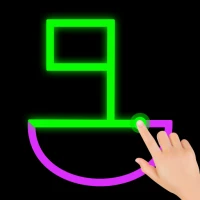
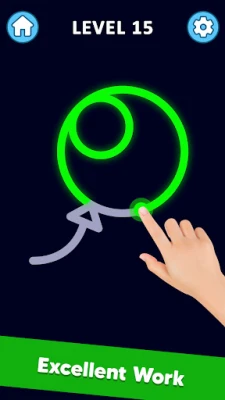
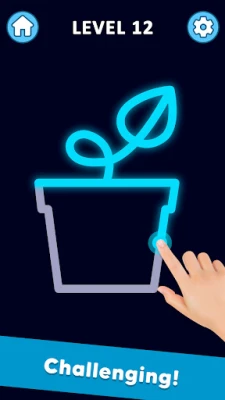
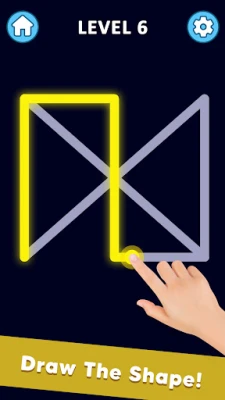
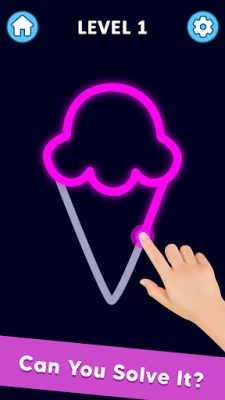
Single Line Drawing: Link Dots is a free Android puzzle game that asks you to trace a set of dots using one continuous line. The goal is to complete each shape without lifting your finger or retracing any segment. Each level presents a new arrangement of points, encouraging logical thinking and spatial awareness.
Main Features
- One‑Touch Mechanics – Solve puzzles by drawing a single line; no complex controls are required.
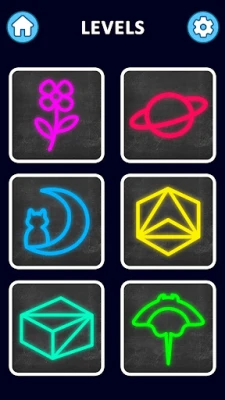
- Progressive Difficulty – Levels start simple and become increasingly intricate, keeping the challenge fresh.
- Minimalist Interface – A clean layout focuses attention on the puzzle itself.
- Calm Audio – Soft background music creates a relaxed atmosphere for extended play sessions.
How It Works
When you open the app, you are presented with a grid of dots. Tap any dot to start, then drag your finger to connect the next dot. The line must never be broken, and you cannot cross over a line you have already drawn. When all dots are linked correctly, the puzzle is solved and you move to the next level.
Practical Uses
The game serves as a light mental workout. Regular play can help improve:
- Pattern recognition
- Problem‑solving speed
- Fine motor coordination
Because each session is short, it fits well into breaks or travel time.
Installation Information
The app is available for free on the Google Play Store. Installation follows the standard Android process: tap “Install,” wait for the download, and then open the app from your app drawer.
Things to Know Before Installing
- The app does not require any special permissions beyond basic storage access for saving progress.
- There are no in‑app purchases; all puzzles are provided without additional cost.
Who May Find It Useful?
Anyone who enjoys casual brain teasers, students looking for a quick mental break, or commuters seeking a distraction-free game will appreciate the straightforward design of Single Line Drawing: Link Dots.
Frequently Asked Questions
Do I need an internet connection to play?
No. All puzzles are stored locally, so you can play offline.
Can I reset a level if I make a mistake?
Yes. A simple tap on the reset button clears the current line and lets you start over.
Is there a way to track my progress?
The app records completed levels and displays your current stage on the main menu.
Rate the App
User Reviews
Other Apps in This Category









Popular Apps










 Games
 Entertainment
 Communication
 E-mail
 Security
 Tools
 Media
 Internet
 Finance
 Design
 Education
 Android Firmwares
 Travel & Local
 Android
 Windows
 Linux