

Latest Version
June 20, 2026
Roblox Corporation
Games
Android
680
Free
com.roblox.client
Report a Problem
More About Roblox – Play, Create & Connect
What is Roblox?
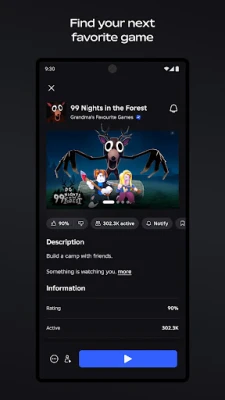
Roblox is a free online platform that hosts millions of games created by its community. Each experience is built using Roblox Studio, a set of tools that let anyone design 3‑D worlds, from simple obstacle courses to complex role‑playing adventures. Players join these games instantly, using a single Roblox account that works across mobile, PC, console and VR.
Key Features
- Vast library of games – Genres include racing, shooters, simulators, RPGs, horror, sports and more.
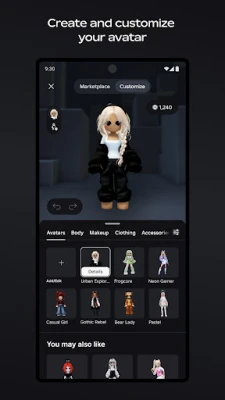
- Avatar customization – Dress your character with clothing, accessories, hairstyles and animated emotes from the Marketplace.
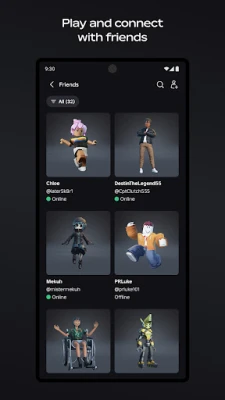
- Social tools – Voice chat, text chat and private parties let you play with friends or meet new people.
- Creator ecosystem – Use Roblox Studio to build, publish and monetize your own games or virtual items.
- Cross‑platform play – Play on Android phones, tablets, Windows PCs, Xbox consoles and supported VR headsets.
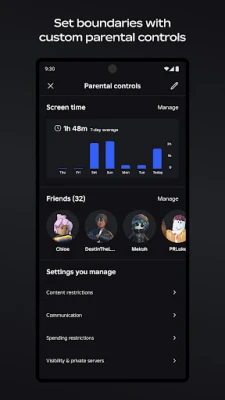
- Safety controls – Age‑appropriate filters, parental controls and a dedicated Trust & Safety team keep the environment secure.
How It Works
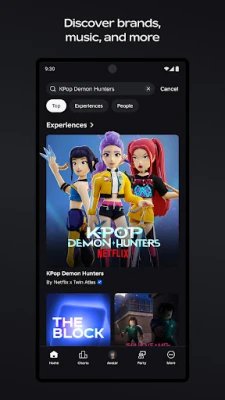
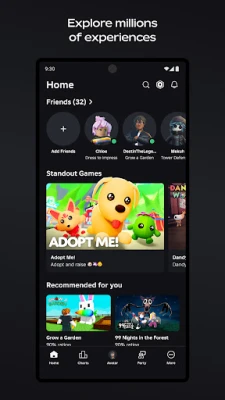
After installing the app, sign in with your Roblox account or create a new one. The home screen shows trending experiences, recommended games based on your play history, and categories you can browse. Tap a game to launch it; most titles load within seconds thanks to cloud streaming.
While playing, you can interact with other users through chat, trade items, or join a group. If you prefer creating, open Roblox Studio (available on Windows and macOS) to design terrain, script gameplay with Lua, and publish directly to the platform. Earn virtual currency called Robux when other players purchase your creations.
Installation & Setup
1. Open Google Play, search for “Roblox”, and tap Install.
2. Once installed, launch the app and allow required permissions (storage, microphone for voice chat, and network access).
3. Log in or register a new account.
4. Adjust privacy settings in the Settings menu – you can enable “Kids Mode”, restrict chat, or limit who can follow you.
5. Start exploring games or open Roblox Studio on a PC to begin creating.
Device Compatibility
The Android version runs on devices with Android 5.0 (Lollipop) or newer, at least 2 GB of RAM, and a stable internet connection. For the best experience, use Wi‑Fi and a screen resolution of 720p or higher. The app supports both phones and tablets, and it automatically adjusts controls for touch input.
Things to Consider Before Installing
- Some games contain optional in‑app purchases such as cosmetic items or game passes.
- Voice chat is available only for users aged 13 and above and can be disabled in settings.
- Roblox requires an active internet connection; offline play is not supported.
- Parental controls are recommended for younger players to manage chat and content exposure.
Frequently Asked Questions
Is Roblox free? Yes, the app and most games are free to download and play. Purchases are optional.
Can I earn real money? Developers can exchange Robux for real‑world currency through the Developer Exchange program, subject to Roblox’s terms.
Do I need a powerful device? Basic gameplay works on most modern smartphones, but graphically intensive games run smoother on higher‑end hardware.
How is my privacy protected? Roblox employs content filters, age‑verified accounts, and a 24/7 moderation team to enforce community standards.
Rate the App
User Reviews
Other Apps in This Category






Popular Apps










 Games
Games Entertainment
 Communication
 E-mail
 Security
 Tools
Tools Media
Media Internet
 Finance
 Design
 Education
 Android Firmwares
 Travel & Local
 Android
 Windows
 Linux
Linux