



Latest Version
Latest
September 04, 2026
Ultimate Party Apps
Games
Android
7
Free
com.gtm.partyguess
Report a Problem
More About Party Guess – Fun Charades Game for Android
What is Party Guess?
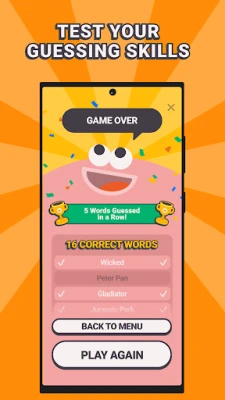
Party Guess is a free Android app designed to bring the classic party game of charades to your mobile device. Developed by Ultimate Party Apps, it offers a digital deck of prompts that can be acted out, mimed, or even sounded out, making it easy to start a game anywhere, anytime.
Main features
- Multiple challenge types – Choose from acting, mimicking, dancing, or sound‑based prompts to keep the gameplay fresh.
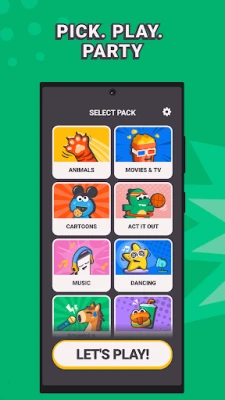
- Broad range of categories – The app includes themes such as movies, animals, pop culture, food, and everyday objects, giving something for every age group.
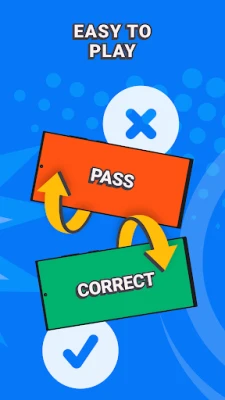
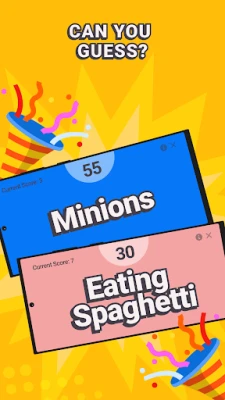
- Quick start – Tilt the phone to draw a new card, then race against the timer to guess the word or phrase.
- Flexible player count – Works well with small groups, large parties, or even a two‑person showdown.
- Free to use – No purchase required to access the core gameplay.
How it works
When you launch Party Guess, you select a category that matches the mood of your gathering. The app then presents a prompt on the screen. One player reads the prompt silently and begins acting it out while the others guess. If you prefer a non‑verbal approach, you can choose a “sound” or “dance” mode, where the performer uses noises or movement instead of words. A built‑in timer adds a light competitive edge, encouraging quick thinking.
Practical uses
Party Guess is suited for a variety of social settings:
- Game nights – Fill gaps between board games or serve as the main activity.
- Family gatherings – Simple rules make it accessible for children and grandparents alike.
- Team‑building events – Encourage collaboration and quick communication in a relaxed environment.
- Travel or camping trips – No need for extra equipment; the phone is the only requirement.
Installation information
The app can be installed directly from the Google Play Store. Search for the package name com.gtm.partyguess or the title “Party Guess – Fun Charades Game.” After tapping “Install,” the app will download and appear in your app drawer.
Things to know before installing
- The app is free, but it may contain optional in‑app purchases for additional content.
- Because the game relies on audio and motion, playing in a quiet, open space will improve the experience.
- Make sure your device’s accelerometer is enabled; the tilt‑to‑draw feature depends on it.
Who may find it useful?
Anyone looking for an easy‑to‑set‑up, interactive game will benefit from Party Guess. It’s especially appealing to:
- Parents seeking a screen‑based activity that still encourages physical movement.
- College students organizing dorm‑room parties.
- Friends planning a casual get‑together or a themed night.
Frequently asked questions
Do I need an internet connection?
No. All prompts are stored locally, so you can play offline after the initial download.
Can I create my own prompts?
The current version does not support custom decks, but the existing categories cover a wide range of topics.
Is the app safe for children?
Yes, the content is family‑friendly and does not contain explicit material.
Rate the App
User Reviews















Popular Apps










 Games
Games Entertainment
 Communication
 E-mail
 Security
 Tools
Tools Media
Media Internet
 Finance
 Design
 Education
 IT Tools
 Travel & Local
 Android
 Windows
 Linux
Linux