How To Enable Night Mode in Telegram?
24 min read If you want to customize the view of Telegram, the best way is to enable night mode. Follow the guide below to find and turn on the dark theme in Telegram app. June 25, 2026 18:42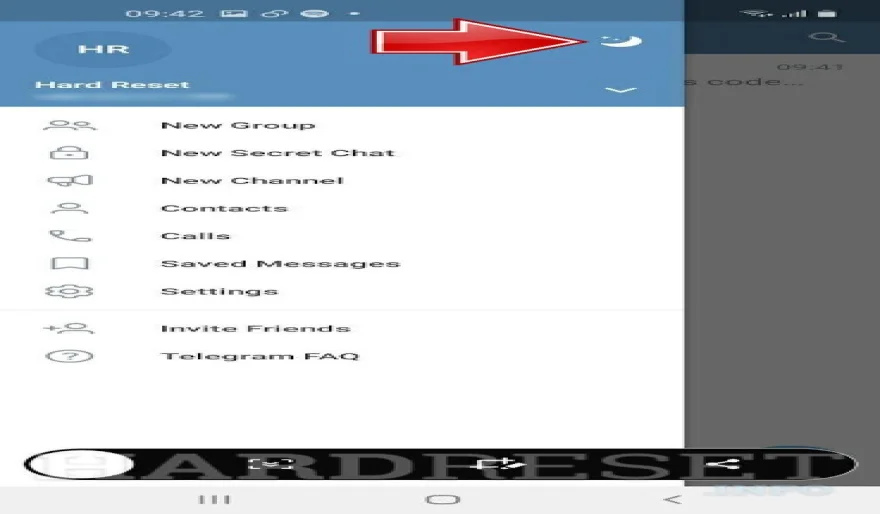
Step-by-Step Guide to Turn On Night Mode in Telegram
If you want to customize the view of Telegram, the best way is to enable night mode. Follow the guide below to find and turn on the dark theme in Telegram app.
For Android:
- In the first step, start your Telegram app.

- Choose three lines and click on it to open the menu.

- Select the Night mode button and tap on it.

- Good job! You have successfully enabled a night mode on Telegram.

For PC:
- First, start your Telegram.

- Find three lines and click on it to open the menu.

- Choose the Night mode button and click on it.

- Excellent! Now you can use your Telegram in dark mode.

User Comments (0)
No comments added yet.
Comments will not be approved to be posted if they are SPAM, abusive, off-topic, use profanity, contain a personal attack, or promote hate of any kind.
More »

Popular Apps

ChatGPT – AI Chat & Image Generator 5OpenAI

Dream League Soccer 2026 – Build Your Ultimate Football ClubFirst Touch Games Ltd.

Xampp pour Windows – Easy Local Server Setup

TikTok – Videos, Shop & LIVETikTok Pte. Ltd.

Download Subway Surfers Latest Version APKSYBO Games

Meta Messenger: Stay Connected with Friends and FamilyMeta Platforms, Inc.

TikTok Lite - Faster TikTok 5TikTok Pte. Ltd.

Candy Crush Saga – Sweet Match-3 PuzzleKing

Truecaller: Spam Call BlockerTruecaller

GORAG – Physics Sandbox for Creative ExperimentsGreenGO
 Games
Games Entertainment
 Communication
 E-mail
 Security
 Tools
Tools Media
Media Internet
 Finance
 Design
 Education
 Android Firmwares
 Travel & Local
 Android
 Windows
 Linux
Linux