
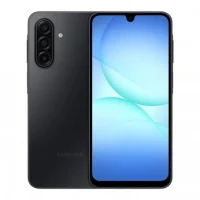
Latest Version
September 19, 2026
Android Firmwares
Android
190
Report a Problem
More About Samsung SM‑A176U1 Firmware BZH9 – Stock ROM Flash File
What this file provides
The package named SM‑A176U1_A176U1UES7BZH9_A176U1OWA7BZH9_PCT_4file.zip contains the four components typically required to reinstall or repair the system software on a Samsung SM‑A176U1 device:
- BL – bootloader
- AP – main Android operating system
- CP – modem/radio firmware
- CSC – carrier and region configuration
When you might need it
The firmware can be useful in situations such as boot loops, system crashes, failed OTA updates, or other software‑related errors that prevent normal operation. It is not a remedy for hardware failures.
Flashing basics
Samsung’s Odin utility on a Windows PC is the standard tool for applying this 4‑file package. A typical workflow includes backing up data, ensuring sufficient battery charge, extracting the ZIP, and loading each file into the corresponding Odin slots before starting the flash.
Precautions
Before flashing, verify that the device’s model number exactly matches SM‑A176U1. Using firmware intended for a different model can cause serious software problems. Always keep a backup of personal data, as the process will overwrite the existing system partition.
Frequently asked questions
Is this the official Samsung firmware for the SM‑A176U1?
Yes, the package corresponds to the official firmware build identified as BZH9 for the SM‑A176U1 model.
Do I need all four files to flash the device?
When using Odin, the BL, AP, CP and CSC files are each loaded into their respective slots. Omitting any component may result in an incomplete or unstable installation.
Can I flash this firmware on a different Samsung model?
No. The firmware is compiled specifically for the SM‑A176U1 hardware and firmware version. Flashing it on another model risks bricking the device.
Will flashing restore a device that is stuck in a boot loop?
In many cases, reinstalling the stock ROM resolves boot‑loop issues caused by corrupted system files, provided the problem is not hardware‑related.
Rate the App
User Reviews
Popular Apps










 Games
Games Entertainment
 Communication
 E-mail
 Security
 Tools
Tools Media
Media Internet
 Finance
 Design
 Education
 Android Firmwares
 Travel & Local
 Android
 Windows
 Linux
Linux